
GEEKOM GeekBook X14 Pro
4.3Editor score
2.8K OLED Display 120Hz
Core Ultra 9 185H CPU
Featherlight 2.2 lb Design
Vlogging requires powerful tools that balance performance with portability for creators on the go. A great laptop handles video editing, live streaming, and daily workflow without lag or thermal throttling during long sessions.
This guide compares ten top models across different price points and form factors. We evaluated processors, graphics capabilities, screen quality, battery endurance, and connectivity options to help you find the perfect machine for your channel.
Each pick highlights specific strengths like color accuracy, processing speed, or upgradeability. Prices and availability change frequently so check current deals before buying. Our goal is to simplify your decision with clear, data-driven insights.
4.3Editor score

4.9Editor score

5.0Editor score
As an Amazon Associate we earn from qualifying purchases.
This comparison table breaks down key specifications for all ten laptops reviewed. Use it to quickly spot differences in processor power, memory, storage, and display types across various budget tiers.





This laptop delivers strong daily performance for creators starting out. Its Ryzen 5 6600H CPU handles multitasking well with 16GB DDR5 RAM and a fast 512GB SSD.
We may earn a commission when you buy through this link, at no additional cost to you.
The 100W PD charging and US-based warranty support offer practical peace of mind. Dual SO-DIMM slots allow you to upgrade RAM up to 64GB as your video editing needs grow.
Integrated graphics are limited for heavy 4K rendering but sufficient for 1080p edits and streaming. The lack of an SD card slot may require dongles for some camera media workflows.
Ideal for budget-conscious vloggers who value expandability and reliable support over raw graphics power. It is a smart entry point into professional content creation workflows.
Final assembly in the United States and US-based after-sales service give confidence for long-term daily use without waiting for overseas support responses.
Dual SO-DIMM slots and an M.2 2280 design let you expand RAM to 64GB and SSD storage to 4TB as your project files increase.
We may earn a commission when you buy through this link, at no additional cost to you.
The GeekBook X14 Pro pairs a stunning OLED display with a featherweight aluminum chassis for mobile creators. Its Core Ultra 9 processor and dedicated NPU enable on-device AI workflows efficiently.
We may earn a commission when you buy through this link, at no additional cost to you.
The OLED panel covers 100% DCI-P3 for true blacks and vibrant color grading. A 72Wh battery lasts up to 16 hours so you can shoot and edit without hunting for outlets.
A smaller 14-inch screen may feel cramped for complex timelines. The price is higher but justified by the premium build and color accuracy essential for professional visual work.
Recommended for vloggers prioritizing display quality and portability. Its AI features and long battery life make it perfect for remote work and content creation on the move.
Self-lit pixels produce true blacks and rich contrast with 120Hz smooth scrolling. It is ideal for creators and movie lovers who demand cinematic range and accuracy.
A dedicated NPU integrates with Copilot for on-device AI like noise reduction and background blur. This offloads tasks from the CPU and GPU for smoother workflows.
We may earn a commission when you buy through this link, at no additional cost to you.
This HP 17 laptop offers a large 17.3 inch anti-glare display ideal for detailed video editing and spreadsheets. It includes Windows 11 Pro for enterprise-level security and tools.
We may earn a commission when you buy through this link, at no additional cost to you.
The Ryzen 5 7520U beats older i7 models in multi-core performance for the price. A full-size keyboard with numeric keypad supports efficient data entry during scripting or asset management.
Eight GB of RAM may limit multitasking with heavy rendering software. The laptop is heavier than 14 inch models which reduces portability for traveling creators.
A solid choice for stationary setups or home studios needing screen real estate. If your workflow favors local editing over travel this model balances cost and usability well.
The narrow bezel design offers an expansive viewing area for video timelines and professional conferencing. It is ready to deploy for users requiring reliability and security.
A 720p privacy camera with physical shutter ensures secure video conferencing. This protects your identity when working in public spaces or recording intros.
We may earn a commission when you buy through this link, at no additional cost to you.
Another HP 17 variant optimized for video editing and complex spreadsheets. It delivers high-efficiency multitasking with Wi-Fi 6 for fast file uploads to cloud storage.
We may earn a commission when you buy through this link, at no additional cost to you.
The anti-glare display supports distortion-free viewing which is crucial for color grading. A full-size keyboard with numeric keypad aids data entry during asset organization.
Eight GB of RAM remains the main limitation for heavy multitasking. The included mouse and tablet stand streamline the setup but add to overall carry weight.
Well suited for home office creators needing a large screen and reliable performance. Its physical shutter and enterprise security features make it a safe choice for sensitive projects.
USB-C HDMI and USB ports support a wide range of peripherals. The included mouse and tablet stand enhance the mobile workstation configuration.
A physical shutter on the 720p camera ensures secure video conferencing. This hardware feature adds peace of mind during remote work.
We may earn a commission when you buy through this link, at no additional cost to you.
This Dell 16 laptop provides edge-to-edge clarity with a 16:10 aspect ratio for a wide immersive viewing experience. ComfortView Plus reduces blue light emissions during long editing sessions.
We may earn a commission when you buy through this link, at no additional cost to you.
The Intel Core 7 150U processor balances productivity and entertainment tasks efficiently. FHD+ resolution and a large screen deliver crisp visuals for media consumption and content review.
Thermal management adapts to your surface but performance is limited for rendering. Onsite service ensures support is available where and when you need it during projects.
Ideal for business users needing a large screen with eye comfort features. Its balance of visuals and service makes it a reliable choice for general professional workflows.
ComfortView Plus helps preserve true-to-life color while reducing harmful blue light. This keeps eyes comfortable even during prolonged screen time.
Dell Services provides onsite warranty support at home or office. On reduces downtime if an issue cannot be resolved remotely.
We may earn a commission when you buy through this link, at no additional cost to you.
Driven by the Ryzen 7 8745HS this laptop handles heavy code compiling and 4K editing with zero lag. It features 32GB DDR5 RAM and a 1TB SSD for massive data access.
We may earn a commission when you buy through this link, at no additional cost to you.
The Radeon 780M graphics deliver discrete GPU level performance for 1080p gaming and fast exports. A 75Wh battery offers up to 10 hours of office work or 15 hours standby.
Integrated graphics may bottleneck heavy rendering tasks. Dual M.2 slots support expansion up to 4TB SSD and 64GB RAM for future needs.
Perfect for software engineers and remote pros demanding desktop speed. Its battery life and expandability make it a robust long-term investment for creators.
The 45W Ryzen 7 processor and 32GB RAM support massive spreadsheets and multi-app switching without lag. This handles heavy code compiling and editing well.
The 75Wh battery delivers up to 10 hours office work or 15 hours standby. The compact 100W Type-C charger powers 60 percent in 35 minutes.
We may earn a commission when you buy through this link, at no additional cost to you.
This model features an Intel Core Ultra 7 258V processor with a dedicated NPU running 47 TOPS. It enables Copilot+ features like real-time video effects and background blur locally.
We may earn a commission when you buy through this link, at no additional cost to you.
The 14-inch touchscreen allows intuitive photo retouching and precise editing with stylus support. A massive 2TB SSD stores documents photos and videos with near-instant boot times.
The 14-inch screen may limit multi-window productivity. The price is higher but justified by the specialized AI acceleration and local processing capabilities.
Ideal for photographers and remote workers wanting desktop performance in a portable package. Its AI features ensure privacy and offline use for your media workflows.
The dedicated NPU enables Copilot+ PC features like auto-framing and AI photo editing locally. This runs offline for privacy and efficiency during remote work.
Included USB hub provides HDMI USB-A USB-C SD card and Ethernet eliminating adapters. Set up your workspace in seconds at home or client office.
We may earn a commission when you buy through this link, at no additional cost to you.
This Yoga model features a superior 12-core processor and a 16-inch 2K touchscreen. Switch easily between laptop tablet tent and stand modes using its 360-degree flip-and-fold design.
We may earn a commission when you buy through this link, at no additional cost to you.
Lenovo Transition automatically adjusts apps as you change modes. The Gigabit LAN port ensures a strong connection for gaming and high-demand tasks where Wi-Fi is unreliable.
Its weight is higher than 14 inch models reducing travel portability. However the screen size and flexibility are unmatched for interactive creative work.
Recommended for designers and editors needing a large touchscreen. Its connectivity and versatile form factor make it ideal for flexible work environments.
Natural finger-touch navigation with vivid color and clarity. The LED backlight is energy efficient and IPS technology offers wide viewing angles.
Benefit from the latest WiFi 6E for lower latency and better performance. The Gigabit LAN port ensures strong connections for high-demand tasks.
We may earn a commission when you buy through this link, at no additional cost to you.
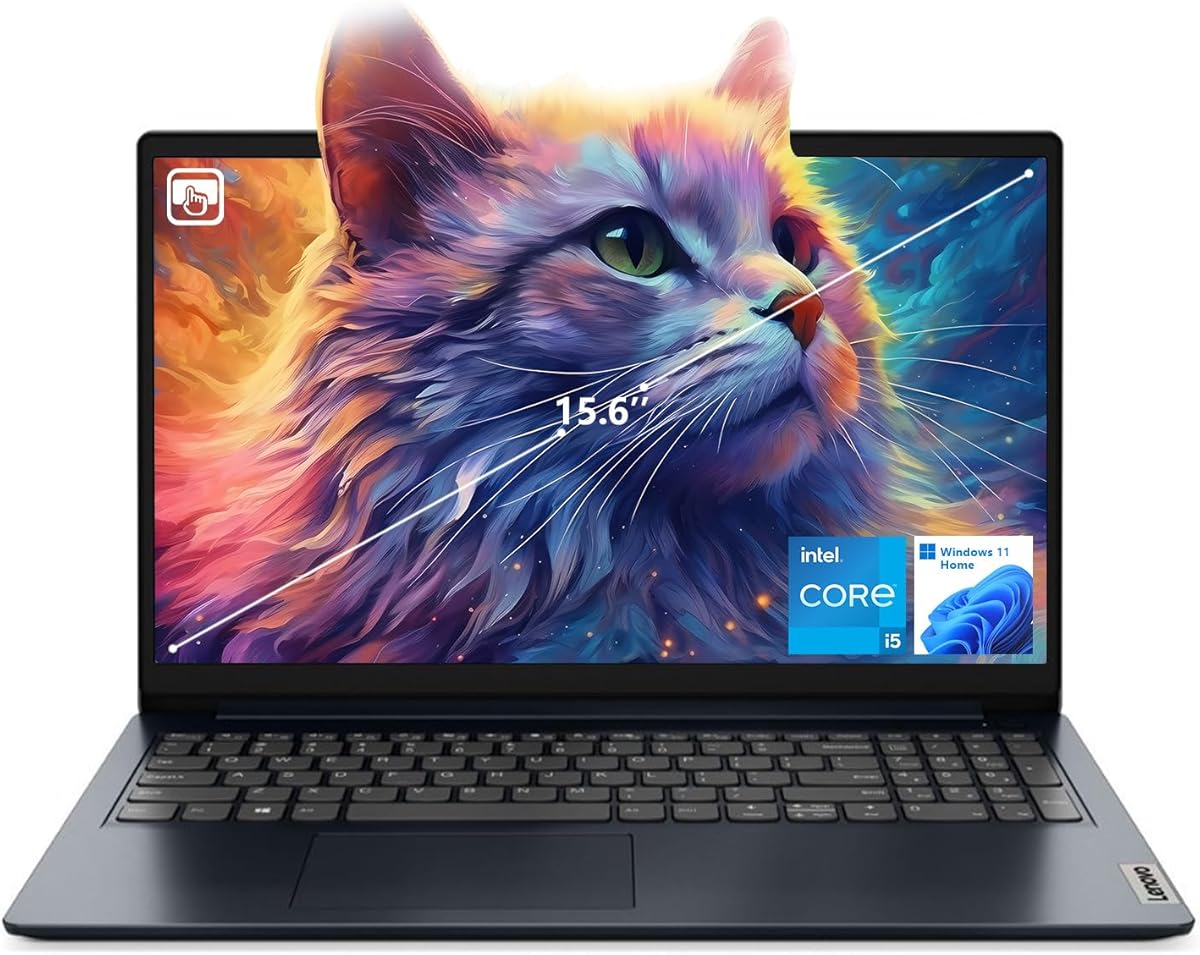
The IdeaPad 1i offers massive memory with 16GB DDR4 RAM paired with a fast 512GB SSD. It features an Intel Core i5-1235U processor with up to 4.4 GHz turbo speed.
We may earn a commission when you buy through this link, at no additional cost to you.
The 15.6-inch FHD touchscreen supports intuitive navigation for creative apps. It includes HDMI USB-C and SD card slots for versatile peripheral connectivity and file transfers.
The display has 300 nits brightness which is lower than premium panels. Performance is efficient but limited for heavy rendering tasks compared to higher tiers.
Ideal for students and casual creators needing responsiveness. Its balance of memory and touch input makes it a capable tool for general content workflows.
16GB DDR4 RAM ensures smooth multitasking across multiple applications and browser tabs. Paired with a PCIe NVMe SSD it delivers rapid boot-up and data transfer.
USB-C USB-A HDMI and SD card reader offer versatile connectivity. Wi-Fi 6 supports stable video calls and fast file uploads to cloud storage.
We may earn a commission when you buy through this link, at no additional cost to you.
Powered by the Ryzen 7 8745HS this laptop delivers stable performance for 4K rendering and gaming. It features 32GB DDR5 RAM and a 1TB SSD for fluent multitasking and data model operations.
We may earn a commission when you buy through this link, at no additional cost to you.
The hardware design supports RAM upgrades to 64GB and dual SSD slots for storage expansion. A 100W universal charger allows quick power replenishment for travel or commutes.
The FHD display is less vibrant than OLED options. However the USB4 port and upgradeability provide exceptional longevity for a budget-friendly workstation.
Perfect for students and creators needing hardware longevity. Its comprehensive warranty and expandable design make it a versatile investment for diverse creation tasks.
User-friendly hardware allows RAM upgrades to 64GB for heavy office and 3D modeling. Dual SSD slots support additional storage expansion without replacing the laptop.
The 2-year official warranty and 90-day returns reduce purchase worries. Professional support is available throughout the usage period for maintenance and consultation.
We may earn a commission when you buy through this link, at no additional cost to you.
Selecting the right laptop depends on your editing workflow and budget. Use these factors to compare performance specs and features.
The CPU is the brain of your editing workflow. Look for modern multi-core processors like Intel Core i7 or AMD Ryzen 7 that handle video rendering without throttling. This ensures smooth performance when importing files and exporting projects.
Prioritize newer generations that balance power and efficiency for long editing sessions.
RAM controls how many apps run smoothly at once. Aim for at least 16GB of DDR5 RAM to manage browser tabs and editing software simultaneously. More memory prevents lag during complex timelines or effects.
Check if the laptop allows future upgrades to extend its usable life.
Screen color accuracy is critical for grading videos. Look for panels with high sRGB or DCI-P3 coverage and IPS technology for wide viewing angles. A 15-inch or larger screen improves your workspace efficiency.
Matte anti-glare coatings reduce eye strain during long editing hours.
Storage speed determines how fast your system boots and loads media. SSDs offer near-instant access compared to traditional drives. A capacity of at least 512GB is recommended for storing raw footage.
Dual SSD slots allow you to add more storage as your library grows.
Integrated graphics handle everyday tasks well. For heavy rendering or GPU-accelerated effects consider a laptop with dedicated graphics. This offloads video processing from the CPU to speed up workflows.
Modern integrated solutions like Radeon 780M offer decent performance for 1080p editing.
Vloggers often work outside of offices. A battery that lasts 8 to 12 hours lets you edit during travel without finding an outlet. Fast charging reduces downtime when you do need to plug in.
Look for high capacity cells like 75Wh for longer runtime.
Weight impacts how easily you carry your machine. Aim for under 4 pounds if you travel frequently. Thinner designs are portable but may sacrifice battery life for performance.
Evaluate the build quality to ensure it withstands daily transport.
Ports like HDMI and USB-C allow you to connect external monitors and drives. A USB4 port supports high-speed data transfers for large video files. Bluetooth helps pair peripherals like mice or audio receivers.
Ensure the laptop has enough ports for your specific workflow needs.
Start by calibrating your display for accurate color grading. This ensures your videos look consistent across different devices when published online.
Use SSD storage for active projects to keep editing speed high. Archive finished work to external drives to maintain available space on your main disk.
Keep the laptop on a hard surface to prevent overheating during rendering. Clean vents regularly to maintain airflow and ensure long-term performance stability.
For 4K editing you need at least 16GB RAM and a multi-core processor like an Intel i7 or AMD Ryzen 7. A dedicated GPU or strong integrated graphics helps smooth playback and exporting.
OLED offers better contrast and color accuracy which is great for grading. However IPS panels are sufficient for most creators and often more affordable for budget setups.
It is crucial if you shoot and edit on the go. Aim for a battery lasting 8+ hours so you can work in coffee shops or travel without constantly searching for an outlet.
Many models allow upgrades while some use soldered RAM. Check the specific model details for dual SO-DIMM or M.2 slots if you want to expand storage or memory later.
Windows laptops offer broader hardware choices and better upgradeability at lower prices. Macs are praised for display quality but have less flexible pricing and upgrade options.
The HP 17 and NIMO series provide large screens and solid performance for the price. They are great entry points for editing 1080p content without overspending on high-end hardware.
This guide covered top picks like the NIMO 15.6 for raw power and the GEEKOM X14 Pro for premium visuals. Each model offers unique strengths for different stages of your creative journey.
Prioritize display quality and performance headroom if you plan to scale your content production. Balancing battery life with portability ensures you never run out of power during a shoot.
Prices and availability shift frequently so review the latest deals before committing. Select the machine that fits your current workflow while leaving room to grow as your channel expands.