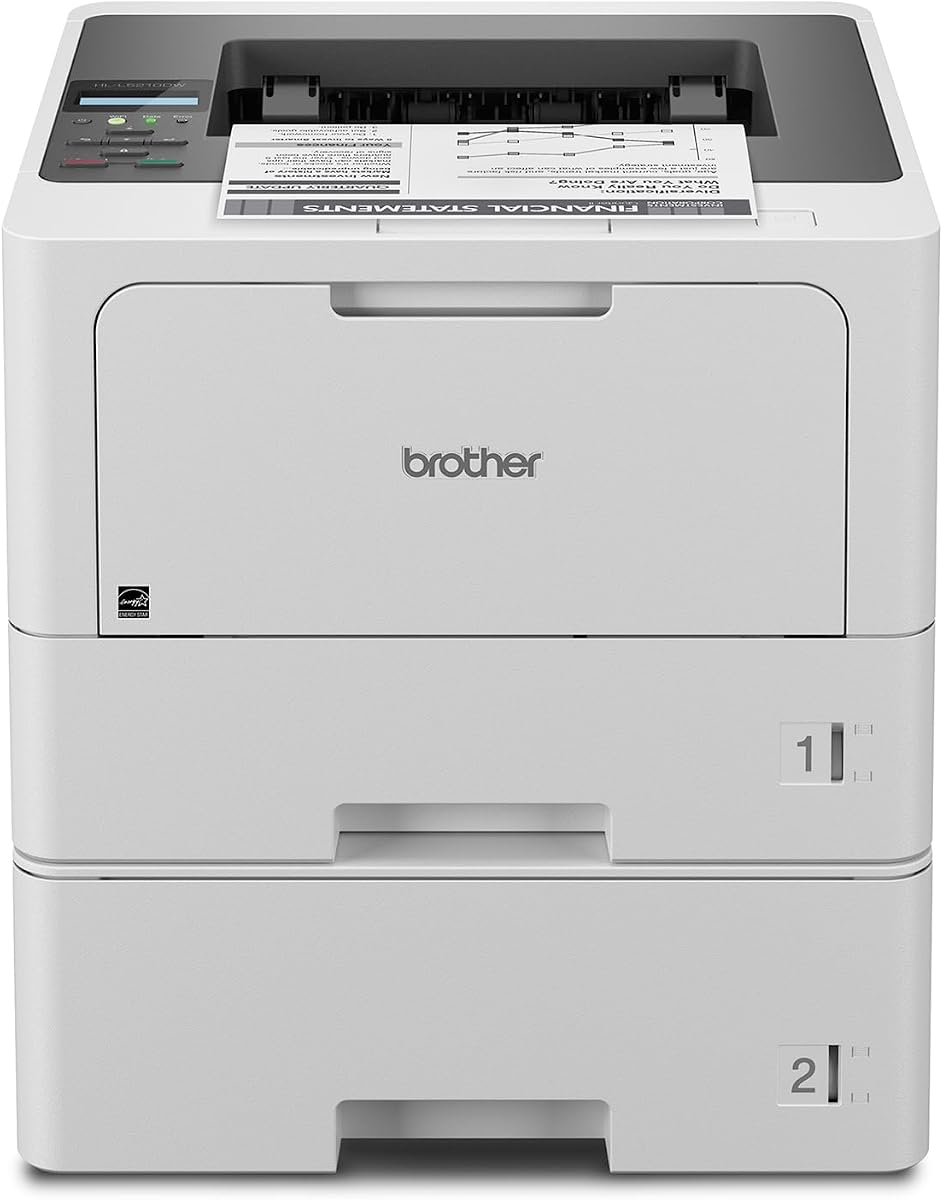
Brother HL-L5210DWT
4.3Editor score
48 ppm monochrome output
Dual paper tray system
Wireless network ready
This guide compares the top laser printer for large workgroups based on speed, security, and capacity to help you choose the right model for your business
Choosing the right laser printer for large workgroups is essential for maintaining high productivity in busy office environments. You need devices that handle high volumes efficiently while offering robust security and reliable connectivity options for seamless integration.
We analyzed ten top-rated models focusing on print speeds, paper capacity, security features, and overall value. Each product was evaluated based on real-world performance metrics and user feedback to ensure our recommendations meet rigorous business standards.
Every pick highlights key strengths and potential trade-offs to help you make an informed decision. Keep in mind that availability and pricing can change frequently, so verify current details before finalizing your purchase for your team.
4.3Editor score

4.4Editor score

4.0Editor score
The following table provides a side-by-side comparison of all ten selected models highlighting their key specifications to help you quickly identify the best fit for your specific office requirements.


The Brother MFC-L8930CDW stands out as a top choice for workgroups needing color capabilities. With a rating of 4.4 it delivers sharp output and reliable performance. Its high-speed scanning and duplex printing make it ideal for document heavy offices.
We may earn a commission when you buy through this link, at no additional cost to you.
This model excels in productivity with up to 33 pages per minute and dual band wireless connectivity. The integrated NFC card reader enhances security while the 7 inch touchscreen simplifies navigation. Sustainability features like EPEAT Gold rating add environmental value.
While the initial investment is higher the long term value is strong due to high yield toner options. The compact design saves space without sacrificing features. Security layers protect sensitive data effectively.
Ideal for medium to large workgroups requiring professional color prints this printer balances speed and security well. Its versatility makes it a smart investment for modern business needs.
The 7 inch touchscreen allows customized shortcuts for frequently used tasks to streamline workflows efficiently.
Triple Layer Security and NFC authentication safeguard devices and documents against unauthorized access or data breaches.
We may earn a commission when you buy through this link, at no additional cost to you.
The Brother HL-L5210DWT offers exceptional speed at an affordable price point. Rated 4.3 it handles high volume black and white printing effortlessly. Dual trays reduce refill time significantly for busy environments.
We may earn a commission when you buy through this link, at no additional cost to you.
Its 48 ppm speed boosts productivity while Gigabit Ethernet ensures stable network sharing. The TN920XXL toner cartridge offers up to 11000 pages reducing ongoing costs. Mobile printing support adds convenience for remote teams.
Limited to monochrome and without scanning this unit focuses purely on printing efficiency. The expandable capacity up to 1390 sheets ensures uninterrupted operation. Security features protect network access effectively.
Best for workgroups prioritizing speed and cost efficiency over color or multifunction capabilities. It is a reliable workhorse for text heavy document workflows.
Using the high yield toner replacement cartridges significantly reduces operating costs for high volume printing tasks.
Built-in Gigabit Ethernet and dual band wireless allow seamless setup and sharing on wired or wireless networks.
We may earn a commission when you buy through this link, at no additional cost to you.
The HP LaserJet Enterprise M406dn provides enterprise features at an entry-level price. With a 4.4 rating it ensures quick document turnaround. Built-in Ethernet simplifies office network integration.
We may earn a commission when you buy through this link, at no additional cost to you.
HP Wolf Enterprise Security detects and self-heals from malware protecting business data effectively. The 2.7 inch display allows direct printing from devices. FutureSmart firmware ensures long term usability through updates.
Lacking wireless connectivity limits flexibility compared to other models. The display is basic but functional. Automatic duplex printing saves paper and speeds up tasks efficiently.
Suitable for teams needing secure fast monochrome printing without extra multimedia features. It is a solid choice for cost-conscious enterprises.
Defensive layers detect malware and protect data during transmission to ensure business continuity and safety.
Third-party solutions and card reader support empower work teams to succeed with optimized workflow tools.
We may earn a commission when you buy through this link, at no additional cost to you.
The Brother MFC-L6810DW delivers impressive speed for enterprise environments. Rated 4.1 it handles heavy print and copy loads efficiently. The 7 inch touchscreen simplifies complex tasks for users.
We may earn a commission when you buy through this link, at no additional cost to you.
Single-pass two-sided scanning at 200 ipm accelerates document processing. The included 8000-page toner offers immediate value. Expandable paper capacity reduces downtime from refills significantly.
Security features including NFC authentication protect sensitive documents. The lack of color limits versatility for graphic needs. Alexa integration adds convenience for voice commands.
Ideal for large workgroups requiring fast monochrome printing and scanning. Its capacity and speed make it a robust tool for busy offices.
Single-pass two-sided scanning up to 200 ipm accelerates workflow for high volume document processing tasks.
Included genuine toner cartridges offer built-in value while ultra high-yield replacements lower printing costs further.
We may earn a commission when you buy through this link, at no additional cost to you.
The Brother HL-6210DW provides professional performance at a competitive price. With a 4.1 rating it ensures exceptional efficiency for high-volume jobs. Dual band wireless enables seamless device integration.
We may earn a commission when you buy through this link, at no additional cost to you.
Its 520-sheet main tray and 100-sheet multipurpose tray support varied media types. The high-yield toner options reduce operational costs significantly. Triple Layer Security protects network and devices daily.
Lacking a touchscreen interface simplifies maintenance but reduces ease of use for some users. The expandable paper capacity ensures uninterrupted printing. Gigabit Ethernet ensures stable network sharing.
Best for teams needing reliable wireless printing without extra scanning features. It balances speed and connectivity well for modern offices.
Built-in Gigabit Ethernet and dual band wireless networking enable efficient printer sharing and mobile device printing.
Triple Layer Security features ensure comprehensive protection for your network, devices, and documents during transmission.
We may earn a commission when you buy through this link, at no additional cost to you.
The Brother MFC-L5915DW offers high-speed monochrome printing at an accessible price. Rated 4.3 it delivers professional quality documents quickly. Dual-band WiFi ensures stable network connections for mobile teams.
We may earn a commission when you buy through this link, at no additional cost to you.
Ultra high-yield toner cartridges reduce operating costs significantly. The 70-page auto document feeder speeds up scanning tasks. Legal-size glass accommodates various document sizes effectively.
Without Ethernet connectivity this model relies on wireless which may not suit all office setups. The compact design fits smaller spaces well. Security features protect network access effectively.
Ideal for small to medium workgroups needing all-in-one convenience. It balances speed and cost efficiency well for daily tasks.
Ultra high-yield replacement toner cartridges help reduce operating costs significantly for busy offices.
Built-in Gigabit Ethernet and dual band wireless networking allow seamless setup and sharing on wired or wireless networks.
We may earn a commission when you buy through this link, at no additional cost to you.
The HP LaserJet Enterprise M507n prioritizes security with over 200 embedded features. Rated 4.0 it ensures safe document handling. Built-in Ethernet simplifies network integration for offices.
We may earn a commission when you buy through this link, at no additional cost to you.
HP Web JetAdmin centralizes printing control for efficiency. Optional mobile printing allows flexibility without setup. Original HP toner cartridges prevent waste and service calls effectively.
Lacking automatic duplex printing limits paper savings compared to other models. The slower speed may not suit high-volume needs. Security policies help detect and stop attacks continuously.
Best for organizations prioritizing data protection over speed. It is a reliable choice for secure environments requiring central management.
Over 200 embedded security features help protect your printer's information, thwart malware, and detect attacks.
HP Web JetAdmin helps build business efficiency by easily adding new devices and applying corporate policies.
We may earn a commission when you buy through this link, at no additional cost to you.
The HP LaserJet Enterprise MFP M634z delivers premium performance with massive capacity. Rated 4.0 it handles high-volume tasks effortlessly. The 9 inch touchscreen simplifies workflow management.
We may earn a commission when you buy through this link, at no additional cost to you.
With 55 ppm speed and 2300 sheet capacity it minimizes interruptions. The 3-bin stapler/stacker automates finishing tasks. Security features protect network and data from attacks effectively.
Its high price reflects the premium capabilities and durability. The large footprint requires dedicated space. Energy efficiency reduces operational costs over time significantly.
Ideal for large enterprises needing top-tier speed and finishing. It is a robust investment for demanding workgroups requiring reliability.
JetIntelligence combines performance and energy efficiency with embedded security features to protect sensitive data.
A 150-page auto-document feeder with single-pass scanning enhances productivity for high-volume processing.
We may earn a commission when you buy through this link, at no additional cost to you.
The Brother HL-L8430CDWT earns a high 4.6 rating for dependable performance. It delivers vibrant color and sharp black output efficiently. Dual paper trays support mixed media needs effectively.
We may earn a commission when you buy through this link, at no additional cost to you.
Built-in value with included toner cartridges lowers initial costs. The 2.7 inch touchscreen enables seamless navigation. Default two-sided printing helps reduce paper use significantly.
Color printing is slightly slower than monochrome alternatives. The 50-sheet multipurpose tray limits custom media options. NFC authentication secures device access effectively.
Ideal for workgroups needing reliable color printing at a reasonable cost. It balances speed and color quality well for business documents.
Built for dependable performance, this printer delivers professional results with sharp color and black output.
Advanced features help keep devices secure and protect documents in transit with integrated NFC card reader.
We may earn a commission when you buy through this link, at no additional cost to you.
The Brother HL-L6310DW offers enterprise features for large workgroups. Rated 4.2 it delivers high-quality output efficiently. The included 6000-page toner provides immediate value.
We may earn a commission when you buy through this link, at no additional cost to you.
Wireless networking ensures seamless device integration. Device management solutions enable mass distribution of configurations. NFC card reader enhances authentication security effectively.
Optional cabinet allows floor-standing configuration saving desk space. Alexa compatibility adds voice command convenience. The 250-sheet output capacity reduces refills efficiently.
Ideal for teams needing fast secure monochrome printing with smart features. It balances cost and performance well for enterprise needs.
Triple Layer Security features help safeguard your network, keep devices secure, and protect documents in transit.
Device management solutions enable mass distribution of device configurations security settings, and task automation.
We may earn a commission when you buy through this link, at no additional cost to you.
Selecting the right laser printer requires understanding your specific needs and priorities to ensure efficiency and cost effectiveness.
Print speed measured in pages per minute (PPM) is critical for high volume environments. Look for models offering at least 40 PPM for monochrome and 30 PPM for color to ensure quick turnaround.
Prioritize faster models if your team frequently prints large documents to reduce wait times and improve productivity.
Large workgroups need substantial paper capacity to minimize refills. Models with dual trays or optional add-on trays can support up to 2000 sheets ensuring uninterrupted printing.
Choose units with expandable capacity if your team produces high volumes daily to reduce maintenance interruptions.
Enterprise printers must include robust security protocols to protect sensitive data. Features like NFC authentication, encryption, and malware detection safeguard devices and documents effectively.
Prioritize models with advanced security if your business handles confidential information to prevent unauthorized access and breaches.
Flexible connectivity including Ethernet, Wi-Fi, and mobile support ensures seamless integration. Dual-band Wi-Fi enhances stability while Ethernet provides reliable wired connections for office networks.
Select printers with both wired and wireless options to accommodate various device types and network environments efficiently.
Consider long-term costs including toner replacement and energy consumption. High yield toner cartridges reduce cost per page while ENERGY STAR certified models lower power usage significantly.
Calculate total cost of ownership including consumables to choose models that offer the best value over time.
All-in-one printers combine printing, scanning, copying, and faxing to save space and simplify workflows. Look for fast auto document feeders to speed up digitizing tasks.
Opt for multifunction models if your team needs to scan or copy documents frequently to streamline operations.
An intuitive touchscreen interface simplifies navigation and configuration. Models with customizable shortcuts reduce time spent on repetitive tasks and enhance user experience.
Prioritize larger touchscreens if your team varies in technical skills to ensure ease of use across the department.
Environmentally friendly features like recycled materials and low energy consumption contribute to corporate sustainability goals. EPEAT Gold ratings indicate strong environmental performance standards.
Choose models with sustainability certifications if your business prioritizes reducing environmental impact and energy costs.
To ensure optimal performance regularly update firmware and run self-cleaning cycles. This maintains print quality and prevents common issues like streaking or jamming.
Use genuine toner cartridges to avoid damaging internal components and ensure consistent output quality. Refill cartridges may offer short term savings but often lead to costly repairs.
Keep the printer in a dry, climate-controlled environment away from direct sunlight. Dust covers help prevent debris buildup that can affect mechanical parts and connectivity.
For large workgroups, a minimum speed of 40 pages per minute for monochrome is recommended to handle high volume efficiently. Color models should ideally offer at least 30 pages per minute to avoid bottlenecks in busy departments.
Paper capacity is crucial for reducing maintenance interruptions. Large workgroups benefit from models with at least 500 sheets standard capacity or options for expansion to minimize refills during peak hours.
Look for Triple Layer Security, NFC card readers, and malware detection capabilities. These features protect documents in transit and safeguard network access from unauthorized users or cyber threats.
All-in-one printers are often worth the investment if your team needs to scan or copy documents frequently. They save space and streamline workflows by consolidating multiple functions into one device.
Use high-yield toner cartridges to reduce cost per page significantly. Choosing models with built-in value toner or compatible replacement options helps lower ongoing operational expenses effectively.
Gigabit Ethernet provides the most reliable connection for office environments while dual-band Wi-Fi ensures stable wireless printing. Having both options ensures flexibility for various device types and setups.
We reviewed ten top laser printers offering diverse features from speed and security to cost efficiency. The Brother MFC-L8930CDW stands out for color capabilities while the HL-L5210DWT leads in budget-friendly monochrome printing.
Prioritize models that match your specific workflow needs whether that is high volume speed or advanced security features. Consider total cost of ownership including toner and energy to make informed decisions.
Remember that product availability and pricing can change so verify current details before purchasing. These recommendations provide a strong starting point for enhancing your office printing infrastructure efficiently.