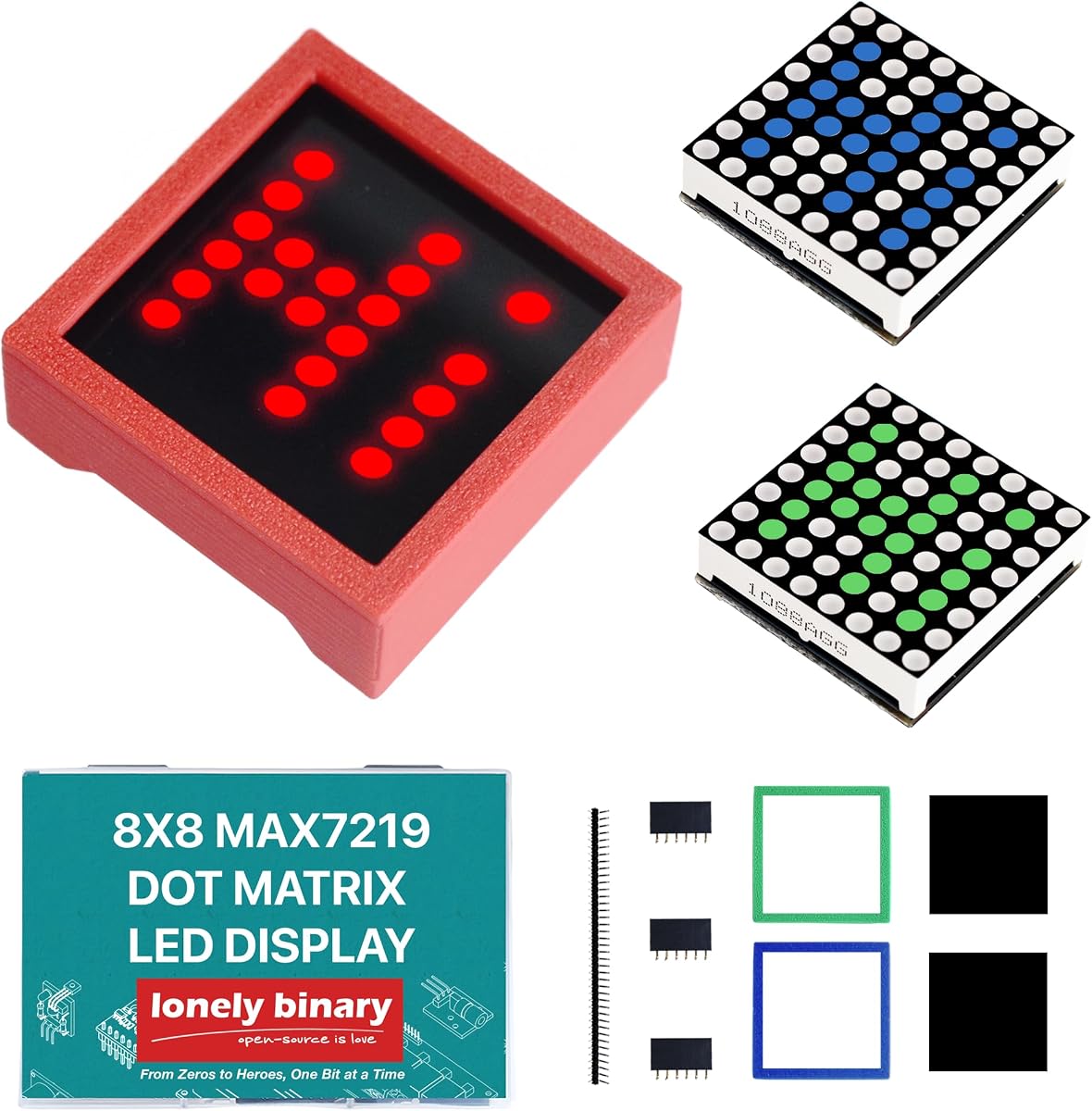
Lonely Binary 3-Pack 8×8 LED Matrix
4.7Editor score
MAX7219 driver chip
Daisy-chainable design
3D-printed enclosures
This guide compares the top LCD dot matrix modules for Arduino projects, covering graphical displays, character screens, and LED matrix options for makers.
LCD dot matrix modules are essential components for visual feedback in electronics projects. They allow creators to display text, graphics, and data in real time. Choosing the right module depends on resolution, interface type, and power requirements for your specific application.
We evaluated ten popular modules based on compatibility, display quality, and ease of integration. Our selection includes character displays, graphical screens, and LED matrix options. Each product was assessed for build quality, library support, and value for money in maker communities.
Each pick highlights key features, pros, and cons to help you decide quickly. Remember that availability and pricing can shift frequently across online retailers. Always verify current stock and specifications before finalizing your purchase for your next electronics build or prototype.
4.7Editor score

4.1Editor score

4.5Editor score
The following table provides a side-by-side comparison of all ten selected products. It highlights key specifications and unique features to help you quickly identify the best fit for your project requirements and budget constraints.




The Ximimark 12864 LCD module stands out as a versatile graphical display option for hobbyists. With a 128×64 dot matrix, it allows for complex graphics and custom fonts. Its strong rating reflects reliable performance in various DIY electronics projects.
We may earn a commission when you buy through this link, at no additional cost to you.
Key strengths include the integrated potentiometer for precise contrast control and dimmable LED backlight. The included Arduino library simplifies integration significantly. Users appreciate the bright blue backlight which enhances readability in different lighting conditions.
Trade-offs involve basic packaging and potential stock issues. However, the display quality outweighs these minor inconveniences. It remains a solid choice for those needing graphical output without expensive OLED alternatives.
Buy this if you need a cost-effective graphical interface for Arduino or ESP32 projects. It is ideal for dashboards, status screens, or custom user interfaces requiring more detail than character LCDs.
The 128×64 pixel count enables detailed icons and waveforms.
Onboard potentiometer eliminates the need for external adjustment circuits.
We may earn a commission when you buy through this link, at no additional cost to you.
This generic 12864 module offers a high-contrast display with wide viewing angles. It is perfectly compatible with popular microcontrollers like the MEGA 2560. The 20-pin header setup ensures straightforward physical connections for breadboarding.
We may earn a commission when you buy through this link, at no additional cost to you.
Its full graphic LCD capability allows for custom interface designs. The bright backlight ensures visibility in most environments. Users can expect solid performance for displaying graphs or custom UI elements.
Lack of specific library documentation may require initial setup effort. However, standard GLCD libraries work well with most Arduino boards. The generic nature keeps costs low for bulk orders.
Choose this module for projects prioritizing screen visibility and cost. It fits well in robotics interfaces or industrial control panels where robustness matters more than branding.
Wide viewing angles ensure clear visibility from different positions.
20-pin headers match standard parallel communication protocols easily.
We may earn a commission when you buy through this link, at no additional cost to you.
Buying a 2-pack of 1602 LCD modules saves time and money for multiple projects. These blue backlight units are standard in the maker community for displaying text. They support a wide operating temperature range, making them suitable for diverse environments.
We may earn a commission when you buy through this link, at no additional cost to you.
The 16×2 layout is perfect for simple menus or sensor readouts. Each unit measures 80mm by 36mm, fitting easily into enclosures. Compatibility with standard controllers simplifies code integration using established libraries.
Limitations include fixed brightness and basic wiring. However, for static displays, this is rarely an issue. The bulk pack is excellent for classrooms or labs needing multiple units.
Select this pack if you need spare displays or multiple interfaces. It is ideal for prototyping stations where having a backup module immediately available is crucial.
Two units allow for redundancy in complex multi-screen systems.
Operates reliably between -20 and 70 degrees Celsius.
We may earn a commission when you buy through this link, at no additional cost to you.
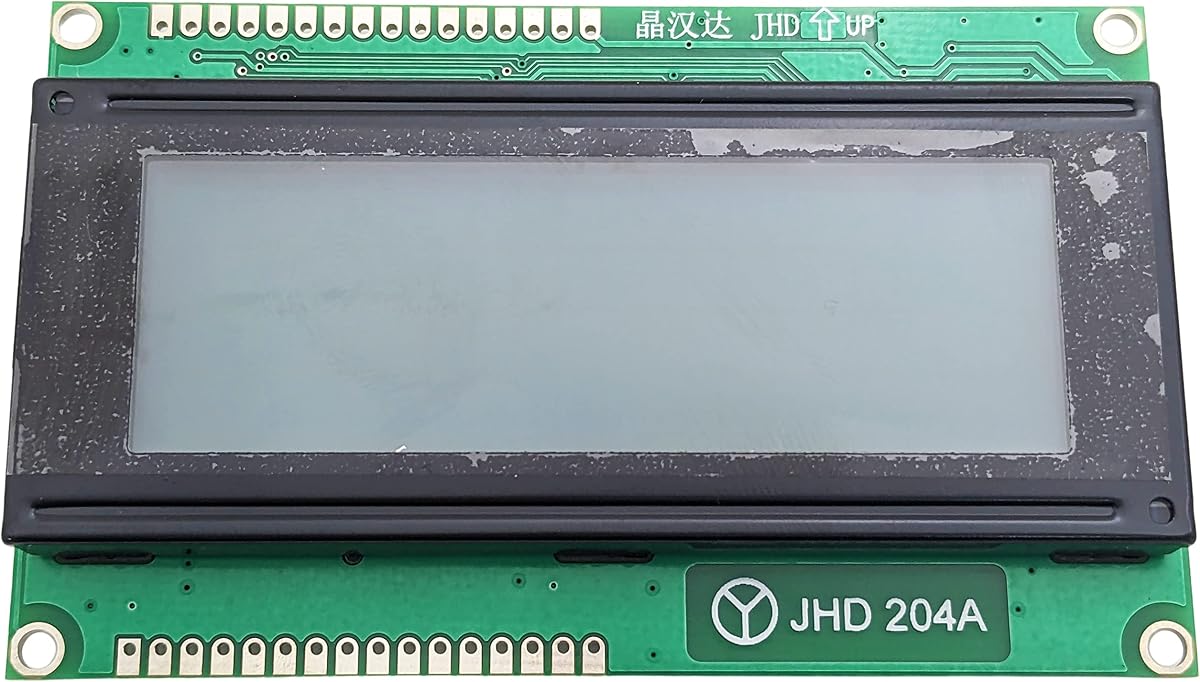
The Electronix Express 20×4 LCD provides substantial text space for detailed logs. With four lines and twenty characters each, it accommodates complex data streams. The reflective gray screen ensures readability under ambient light.
We may earn a commission when you buy through this link, at no additional cost to you.
Dimensions of 98x60mm fit standard panel cutouts. Integrated driver circuitry reduces external component needs. This module is designed for professional panels where screen real estate matters.
Reflective screens may require external lighting in dark areas. However, the duty cycle and dot matrix precision ensure sharp character rendering. It is a robust choice for industrial applications.
Invest in this if you need to display multi-line text or logs. It works well for data logging systems where scrolling text is not feasible.
Four lines allow complex status information without scrolling.
Driver and controller built-in simplify wiring requirements.
We may earn a commission when you buy through this link, at no additional cost to you.
This variety pack offers Red, Green, and Blue 8×8 LED matrices for colorful displays. The onboard MAX7219 driver simplifies control via SPI. Each module comes with a 3D-printed enclosure for a polished look.
We may earn a commission when you buy through this link, at no additional cost to you.
Chainable design allows building wider displays like 24×8 panels. The brightness control is software-adjustable for power efficiency. This module is excellent for retro games or notification tickers.
Basic soldering is required to connect headers. Single fixed colors mean no RGB mixing per pixel. Despite this, the variety pack offers great flexibility for multi-colored projects.
Buy this for eye-catching animations and visual alerts. It suits makers wanting professional-looking enclosures without custom fabrication work.
Daisy-chain ports allow expanding display width easily.
3D-printed cases protect components and improve appearance.
We may earn a commission when you buy through this link, at no additional cost to you.
HiLetgo offers four modules per pack for extensive matrix projects. The MAX7219 driver ensures reliable LED control. Each unit supports standard 5V power from Arduino boards. This makes scaling projects easier without extra component costs.
We may earn a commission when you buy through this link, at no additional cost to you.
The 64 holes with 3mm diameter facilitate secure mounting. Compact dimensions fit into tight spaces. Users benefit from high consistency across all four units.
Wiring headers often need separate purchase. However, the low price point covers this extra cost. It is a great bulk option for large displays.
Choose this for large-scale scrolling text or gaming boards. The quantity allows for wide display panels that cover large surfaces.
All four units share same performance characteristics.
Pre-drilled holes allow rigid mounting in enclosures.
We may earn a commission when you buy through this link, at no additional cost to you.
This module specializes in displaying high-precision numeric values. The 8-digit 7-segment layout is ideal for clocks or counters. It supports BCD decoding for simplified digit encoding. Users can also choose direct segment control for full customization.
We may earn a commission when you buy through this link, at no additional cost to you.
Advanced features include scan limit settings and test mode. The low-power shutdown mode saves energy in battery applications. It handles high currents reliably with constant current drive.
Numeric only limits graphic capability. However, for data readouts, nothing beats 7-segment clarity. It is perfect for industrial meters or scoreboards.
Buy for clock displays or frequency counters. The precise control ensures accurate and readable numeric output.
Shutdown mode reduces power to 150 microamps.
Direct control allows custom symbols beyond standard numbers.
We may earn a commission when you buy through this link, at no additional cost to you.
SunFounder is known for quality, and this LCD2004 module delivers. The white characters on blue background provide high contrast readability. With four lines of twenty characters, it offers ample space for data. The 50K potentiometer allows precise adjustment.
We may earn a commission when you buy through this link, at no additional cost to you.
Module dimensions fit standard cutouts easily. It works seamlessly with Arduino boards via standard libraries. The bright backlight ensures visibility in all environments. It is built for durability and consistent performance.
The price is higher than generic options. However, the reliability and screen quality justify the investment. It is the go-to for professional looking projects.
Choose this for high-end user interfaces. It is ideal for commercial displays or precision instruments.
White on blue provides excellent visibility.
SunFounder ensures consistent module performance.
We may earn a commission when you buy through this link, at no additional cost to you.
This 32×8 matrix offers double the width of standard 8×8 modules. With 256 LEDs, it creates impactful scrolling text or animations. The variety pack includes Red, Green, and Blue options for diverse visual effects.
We may earn a commission when you buy through this link, at no additional cost to you.
Standard MAX7219 chaining allows building wide banners like 64×8. The 3D-printed enclosures protect the LEDs and look professional. It works with ESP32, Arduino, and other microcontrollers easily.
Soldering headers is required for connection. The larger size needs more space. But for large displays, the extra pixels are essential.
Use for scoreboards or large notification banners. It is ideal for projects where width is more important than height.
32 pixel width allows longer messages.
Standard chaining allows unlimited width expansion.
We may earn a commission when you buy through this link, at no additional cost to you.
This module is designed for space-constrained embedded projects. The 128mm footprint and 13mm profile save space. 5V operation ensures direct compatibility with Arduino. The 64 pre-drilled holes allow secure installation.
We may earn a commission when you buy through this link, at no additional cost to you.
Universal mounting design fits many panel sizes. The SPI interface supports daisy-chaining for expansion. It balances cost and performance well for embedded displays.
Lacks premium casing but offers great specs. The mounting holes are a standout feature for integration. It is a versatile choice for compact devices.
Buy for embedded IoT displays or small control panels. It suits projects where mounting and dimensions are critical.
Slim profile fits tight enclosures easily.
Pre-drilled holes simplify secure installation.
We may earn a commission when you buy through this link, at no additional cost to you.
Selecting the right LCD dot matrix module requires considering resolution, interface, and backlight type. This section outlines key factors to ensure compatibility with your microcontroller and project goals.
Resolution determines how much information you can display. Character LCDs like 16×2 show text only, while graphical ones like 128×64 allow custom drawings. Larger resolutions require more pins and processing power.
Choose resolution based on content complexity and available space.
Parallel interfaces need many pins, making them harder to wire. I2C and SPI interfaces save pins and simplify connections. Always match the interface to your microcontroller's available pins.
SPI and I2C are best for limited pin count projects.
Blue backlight provides high contrast for dark text. White on blue offers premium readability. LED matrices allow colorful visuals. Ensure brightness is adjustable for varying lighting conditions.
Select backlight color based on aesthetic needs and readability.
Most modules run on 5V logic. Some newer options support 3.3V. Check your microcontroller voltage to avoid damage. Always calculate total current if daisy-chaining multiple modules.
Ensure your power supply handles the total module current.
Driver chips like MAX7219 simplify control. Others use built-in controllers. Check if libraries are available for your platform. Open-source support speeds up development significantly.
Prioritize modules with well-documented drivers.
Modules with mounting holes are easier to integrate into panels. Some include 3D cases. If building a portable device, ensure the module fits your enclosure dimensions.
Check dimensions and mounting options before purchasing.
Prices vary by brand and features. Generic options are cheaper but may lack documentation. Premium brands offer better support. Balance cost against needed reliability for your project.
Choose value based on project lifespan and quality needs.
Industrial applications need wider temperature ranges. Standard modules work from -20 to 70C. Check specs if using in extreme conditions. Heat resistance is critical for outdoor or motorized projects.
Verify operating temperature ranges for environmental conditions.
First, connect power and data lines according to the datasheet. Ensure ground connections are common across all modules to prevent signal issues. Use decoupling capacitors near power pins to stabilize voltage.
Install necessary libraries in your IDE before uploading code. Configure contrast using the potentiometer if available. Initialize the display in setup() to ensure it is ready before main loops.
Store modules in dry, cool places to avoid damage. Clean screens with soft cloths only. Avoid direct sunlight to prevent backlight burnout or screen fading over time.
Character LCDs display only text in fixed rows like 16×2. Graphical LCDs show pixels allowing custom shapes and images. Character LCDs are simpler and cheaper. Graphical LCDs offer more flexibility but require more memory.
Yes, you can daisy-chain modules using SPI or I2C protocols. This reduces pin usage significantly. You must configure chip select pins for parallel connections. Ensure power supply handles the combined load.
For LCDs, LiquidCrystal is standard on Arduino. For graphical displays, U8g2 is highly versatile. For LED matrices, LedControl or MD_MAX7219 libraries are best. Check documentation for compatibility with your board.
Most modules have a potentiometer screw on the back. Turn it gently while powering the module to find the best contrast. Avoid over-tightening to prevent damage. Some digital modules allow software adjustment.
Many 5V modules require logic level converters for 3.3V boards. Some newer modules support 3.3V logic directly. Always check voltage specs before connecting to avoid damaging pins. Use a level shifter if uncertain.
LCD modules typically last thousands of hours of continuous use. Backlights may dim over time. Proper power management extends life. Avoid voltage spikes and static discharge during handling.
We reviewed ten top options ranging from character displays to graphical LED matrices. Each picks offers unique strengths for different project needs. Whether you need high resolution or cost-effective bulk, there is a match.
Prioritize interface compatibility and resolution based on your content needs. Consider backlight color for visibility and mounting for physical integration. Ensure your power supply matches the total current requirement.
Prices and stock can fluctuate quickly online. Always verify current listings and specifications before buying. Select the module that best fits your technical requirements and budget constraints today.