
Lexar D50E 256GB Solid State Dual Drive
4.6Editor score
Up to 400MB/s read speed
Dual USB-A and USB-C connectors
Durable metal housing build
This guide compares the top ten Lexar USB Flash Drive models available in October 2026. We analyze speed, capacity, durability, and security features to help
Finding the right portable storage solution is essential for modern professionals and students alike. A reliable Lexar USB Flash Drive ensures your critical data remains secure and accessible across multiple devices. Whether you need to transfer large media files or back up important documents, speed and durability matter.
We have carefully evaluated ten top-rated models from Lexar to create this comprehensive roundup. Our analysis considers transfer speeds, build quality, connector types, and security features. We aim to help you find the perfect drive that fits your workflow without breaking the bank.
Each pick in this list highlights specific strengths and ideal use cases for different users. You will find options ranging from high-speed dual drives to affordable multi-packs. Please note that pricing and availability can change frequently, so check current listings before purchasing.
4.6Editor score
4.6Editor score

4.5Editor score
Below you will find a detailed side-by-side comparison of all ten Lexar USB Flash Drive models reviewed in this guide. We have organized key specifications to help you quickly identify which model offers the best balance of speed capacity and features for your requirements.


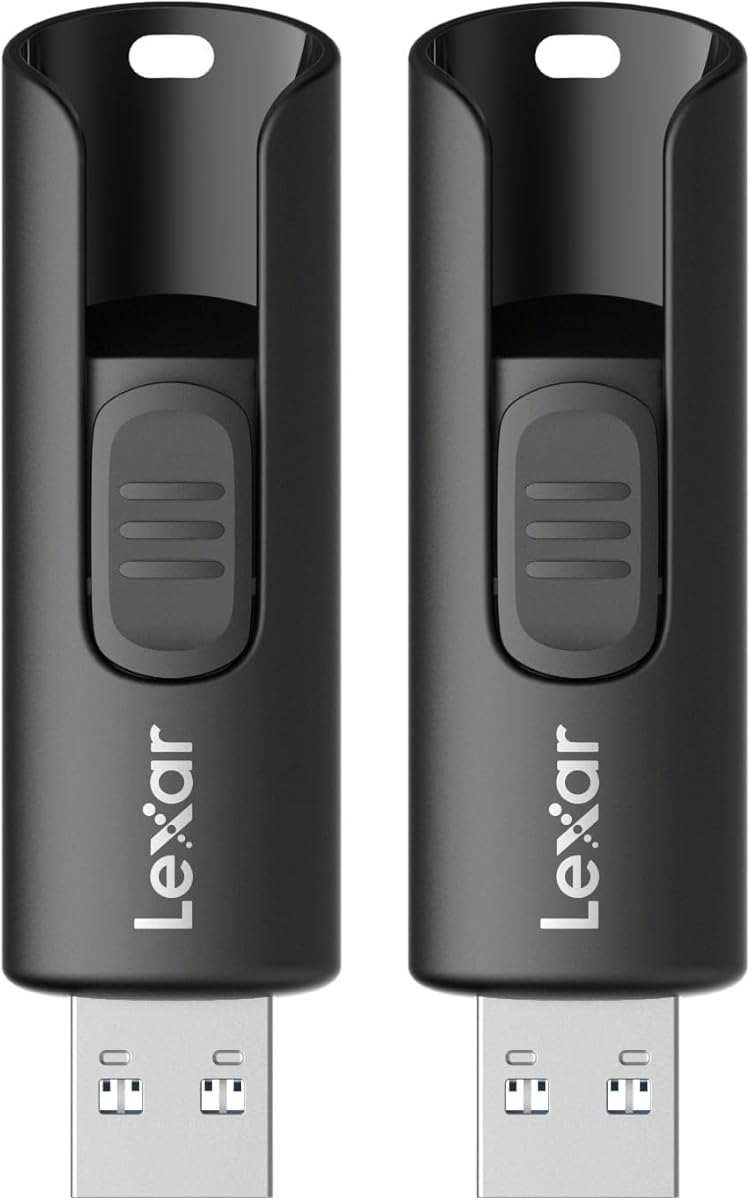
The Lexar A30E USB 3.2 Gen 1 Flash Drive stands out as a top choice for users needing reliable portable storage. With a rating of 4.6 stars this drive offers a compelling balance of speed and security. It is ideal for professionals who need to move files quickly between laptops and desktops.
We may earn a commission when you buy through this link, at no additional cost to you.
Performance is a key highlight with transfer speeds reaching up to 100 MB/s. This is significantly faster than standard USB 2.0 drives. The drive also includes Lexar DataShield which allows you to create a password-protected safe for sensitive files. This security feature is often missing in budget drives.
While the drive is lightweight and convenient the design does rely on a push-button retractor. Users should be careful not to lose the cap when it is not engaged. Additionally there is no USB-C option so it may not fit newer tablets without an adapter.
Overall this drive is highly recommended for anyone seeking a secure and fast storage solution. The two-pack value makes it even more attractive for small businesses or families. It is a smart investment for keeping your digital life organized and safe.
The included DataShield software provides essential encryption to protect your personal data from unauthorized access.
Up to 100MB/s read speeds ensure you spend less time waiting for files to copy and paste.
We may earn a commission when you buy through this link, at no additional cost to you.
The Lexar D50E is a powerhouse designed for users who demand speed and versatility. Boasting a rating of 4.6 stars it delivers solid state performance in a compact drive. This makes it perfect for content creators and professionals working with large media files daily.
We may earn a commission when you buy through this link, at no additional cost to you.
Its standout feature is the dual connector design which includes both USB-A and USB-C. You can connect to older laptops and newer phones without needing extra cables. The read speed of up to 400MB/s is four times faster than standard USB 3.0 drives ensuring quick data access.
The metal housing provides exceptional durability but adds to the overall cost. While it offers great value for the performance it is pricier than standard flash drives. Also the mobile backup app is not supported for iCloud content yet which limits some iOS users.
For those willing to invest in top-tier performance this drive is an excellent choice. It bridges the gap between traditional flash drives and external SSDs effectively. We recommend it for anyone needing a reliable high-speed portable storage device.
With both USB-A and USB-C ports you can connect to virtually any device without adapters.
Up to 400MB/s read speeds allow for instant access to large video and photo libraries.
We may earn a commission when you buy through this link, at no additional cost to you.
The Lexar 128GB JumpDrive S80 Flash Drive is a fantastic option for budget-conscious buyers. With a rating of 4.5 stars it offers high-speed performance without breaking the bank. It is suitable for students and casual users who need reliable storage for school projects.
We may earn a commission when you buy through this link, at no additional cost to you.
Its read speed of up to 150MB/s is impressive for a drive at this price. You can transfer files quickly compared to older USB 2.0 models. The advanced security software with 256-bit AES encryption ensures your data remains protected from prying eyes.
The main trade-off is the plastic housing which may not be as durable as metal options. Write speeds are not explicitly detailed which might affect performance for large file writes. However the three-year limited warranty provides peace of mind for buyers.
This drive is highly recommended for those needing a cost-effective storage solution. It delivers excellent value for money with solid speed and security features. If you need to back up files quickly on a budget this is a great pick.
Read speeds up to 150MB/s allow for quick access to documents and media files.
256-bit AES encryption protects your sensitive data without requiring additional software costs.
We may earn a commission when you buy through this link, at no additional cost to you.
The Lexar D40E is a versatile dual-drive option designed for modern connectivity needs. With a rating of 4.3 stars it provides a practical solution for users with mixed device types. It is perfect for sharing files between older computers and modern Android phones.
We may earn a commission when you buy through this link, at no additional cost to you.
Its 360-degree swivel design eliminates the need for separate caps which are easily lost. The metal enclosure withstands daily wear and tear well. It supports high-speed USB 3.2 Gen 1 performance ensuring reliable data transfer speeds for everyday tasks.
One drawback is that the transfer speed is capped at 100MB/s which is lower than the S80. However the inclusion of two drives adds value for the price. The advanced security software is useful but requires initial setup to be effective.
This drive is ideal for users who need to connect to both USB-A and USB-C ports frequently. It offers a good balance of durability and convenience. We suggest it for office workers or families needing shared storage access.
The 360-degree swivel design protects connectors without needing to worry about lost caps.
Dual connectors ensure you can plug into any laptop phone or tablet without adapters.
We may earn a commission when you buy through this link, at no additional cost to you.
The Lexar TwistTurn2 USB 2.0 Flash Drives offer an excellent solution for basic storage needs. With a rating of 4.6 stars these drives are known for their durability and ease of use. They are ideal for distributing software or storing small documents across multiple devices.
We may earn a commission when you buy through this link, at no additional cost to you.
The twist-open mechanism protects the USB interface from damage and keeps the cap attached. This hinged jacket design is practical for users who are often on the move. Plug and play functionality means you can use them immediately without installing drivers.
The main limitation is the USB 2.0 interface which is slower than newer standards. Transferring large video files will take more time with these drives. Additionally the 32GB capacity is small for high-resolution media but fine for documents.
We recommend this pack for small businesses or schools needing multiple drives for staff. The low cost per unit makes it a smart bulk purchase. It is a reliable choice for basic file sharing and backup tasks.
The twist-open jacket rotates to protect the port and prevents losing caps during travel.
Buying a three pack offers significant savings compared to purchasing individual drives separately.
We may earn a commission when you buy through this link, at no additional cost to you.
The Lexar 256GB JumpDrive D400 Dual Flash Drive is designed for users who need significant storage space. With a rating of 4.6 stars it offers ample room for photos videos and documents in one compact unit. It is perfect for travelers who need to carry large media libraries.
We may earn a commission when you buy through this link, at no additional cost to you.
Its dual connectors allow for seamless transfer between different systems without needing an adapter. The metal housing is not only stylish but also protects the internal components from physical damage. The DataShield software ensures that sensitive data remains secure during transit.
While the capacity is impressive the price point is higher than standard drives. Additionally there is no USB-C cable included so you may need one if your device only has USB-C ports. However for the space provided it remains a solid option.
We recommend this drive for professionals who need to carry large files regularly. It combines capacity with speed and security effectively. If you have many photos to transfer this drive will save you time.
With 256GB of space you can store thousands of photos and hours of video easily.
Both USB-A and USB-C ports ensure compatibility with both old and new devices.
We may earn a commission when you buy through this link, at no additional cost to you.
The Lexar JumpDrive S60 USB 2.0 Flash Drives offer an incredible deal with a set of five units. With a rating of 4.7 stars these drives are praised for their simplicity and utility. They are perfect for small offices needing multiple units for quick data sharing.
We may earn a commission when you buy through this link, at no additional cost to you.
The sliding protective cover helps protect the connector from dust and damage without needing a cap. This design is robust enough for daily use in an office environment. The drives are compatible with most PC and Mac systems for broad usability.
The main disadvantage is the older USB 2.0 interface which limits transfer speeds. Additionally sliding mechanisms can wear out over time if handled roughly. However for the price and quantity provided the value is hard to beat.
We suggest this set for anyone needing backup drives for employees or students. It is a cost-effective way to ensure everyone has a drive on hand. It is a reliable choice for basic document transfer tasks.
The sliding cover keeps the USB port protected from dust and debris during transport.
The variety of colors helps users distinguish their drive from others easily.
We may earn a commission when you buy through this link, at no additional cost to you.
The Lexar 128GB JumpDrive M400 Flash Drive combines style with performance for the modern user. With a rating of 4.4 stars it offers a sleek look that appeals to professionals. It is suitable for users who want a drive that looks good and works fast.
We may earn a commission when you buy through this link, at no additional cost to you.
Its read speed of up to 150MB/s ensures that file transfers are quick and efficient. The drive includes Lexar DataShield which provides an added layer of security for your files. This makes it ideal for storing sensitive business data or personal documents.
While the design is stylish it does come at a slightly higher price than basic drives. It also lacks a USB-C connector which limits compatibility with newer phones. However for PC users this drive offers a solid balance of form and function.
We recommend this drive for those who value aesthetics alongside functionality. It is a great gift option or personal drive. If you want a fast reliable drive that looks premium this is a strong choice.
Up to 150MB/s read speeds allow for quick retrieval of documents and images.
DataShield security ensures your files remain private and protected from unauthorized access.
We may earn a commission when you buy through this link, at no additional cost to you.
The Lexar E31 USB 3.2 Gen 1 Flash Drive is a compact solution for everyday storage. With a rating of 4.6 stars it is praised for its build quality and convenience. It is perfect for users who need to keep a drive on their keyring at all times.
We may earn a commission when you buy through this link, at no additional cost to you.
The all-metal build provides durability while the integrated keyring loop ensures you can attach it to your keys. This design prevents the drive from being lost in a bag. Transfer speeds reach up to 100MB/s which is great for everyday files.
The only downside is the 64GB capacity which may fill up quickly with large media files. The cap design is standard but caps can sometimes be lost. However for document storage this capacity is more than enough for most users.
We suggest this drive for anyone needing a portable reliable option on a budget. It is a great choice for students or staff. If you need a drive that is tough and portable this is a solid pick.
The all-metal construction withstands daily wear and tear better than plastic alternatives.
An included keyring loop lets you attach the drive to keys so it is never lost.
We may earn a commission when you buy through this link, at no additional cost to you.
The Lexar JumpDrive S60 USB 2.0 Flash Drives offer the highest rated option in this lineup. With a rating of 4.8 stars these drives are reliable and easy to use. They are perfect for basic storage needs and sharing files across multiple computers.
We may earn a commission when you buy through this link, at no additional cost to you.
The sliding cover helps protect the connector effectively and keeps the drive compact. A pack of three provides plenty of drives for a home or small office. The drives work with most PC and Mac systems without any setup required.
The USB 2.0 interface is the main limitation as it limits transfer speeds for large files. Additionally the black finish may show fingerprints over time with frequent use. Despite this the value and reliability make them a top choice.
We recommend this pack for anyone needing multiple drives on a budget. It is a smart buy for students or staff. If you need reliable backup storage this set will serve you well.
With a 4.8 star rating these drives are proven to work well for everyday tasks.
The sliding cover keeps the USB port safe from dust and damage during travel.
We may earn a commission when you buy through this link, at no additional cost to you.
Choosing the right USB flash drive involves considering several key factors to ensure you get the best value and performance. This guide will help you understand what to look for when selecting a Lexar model for your needs.
Storage capacity determines how much data you can keep on the drive. For standard documents and small images 32GB to 64GB is sufficient. If you need to store photos or videos consider drives with 128GB or higher.
Select a capacity that matches your typical file sizes and backup needs to avoid running out of space.
Transfer speeds are critical for how fast you can move data between devices. Look for USB 3.2 Gen 1 drives which offer speeds up to 100MB/s or higher. USB 2.0 drives are cheaper but significantly slower.
Higher speeds are essential if you work with large media files or need quick backups regularly.
Connector types determine which devices the drive can connect to. USB-A drives work with older laptops while USB-C drives work with newer tablets. Dual connector drives offer the most versatility across different systems.
Choose a drive with the correct connector for your most frequently used devices to avoid needing adapters.
Build quality affects the durability and longevity of the drive. Metal housings provide better protection against physical damage than plastic. Swivel designs and retractable caps also help prevent port damage.
Invest in a drive with a durable build if you plan to carry it in your pocket or bag daily.
Security features like encryption protect your sensitive data from unauthorized access. Lexar DataShield allows you to create password-protected safe zones on the drive. This is vital for storing personal or business information.
Ensure the drive includes robust encryption software if you handle confidential files regularly.
Warranty coverage provides peace of mind in case the drive fails. Lexar typically offers a three-year limited warranty on higher-end models. This ensures you are protected against manufacturing defects.
Look for drives with longer warranty periods to ensure long-term reliability and support.
Price and value depend on the balance between features and cost. Buying a multi-pack can offer better value if you need multiple drives. Compare the cost per gigabyte to find the best deal.
Prioritize value by choosing a drive that meets your specific needs without unnecessary extra cost.
Compatibility ensures the drive works seamlessly with your operating system. Most Lexar drives are plug and play and work with Windows and Mac. Check specific requirements if you use specialized systems.
Always verify OS compatibility before purchasing to avoid any connection issues.
To use your Lexar USB flash drive simply plug it into an available USB port on your computer. Wait for the system to recognize the drive and open it through File Explorer or Finder to access your files.
Always eject the drive safely using the operating system before unplugging it to prevent data corruption. This ensures all write operations are complete and your data remains safe.
Store the drive in a cool dry place away from water and extreme temperatures. Avoid bending the drive or exposing it to magnetic fields to maintain its longevity.
Yes, most Lexar USB flash drives are compatible with Mac computers out of the box. You can plug them into a USB port and access files via Finder. If you need to write files to the drive you may need to format it as ExFAT for best compatibility.
You can check the speed of your USB drive using tools like CrystalDiskMark or by checking the drive properties in your system settings. Look for read and write speeds listed in MB/s to understand its performance level.
You can use a USB drive with an Android phone if it has a USB-C port or supports OTG. You will need a dual connector drive or an adapter to connect the drive directly to your phone.
Lexar USB drives are designed to last for several years of regular use. They are rated for a high number of read and write cycles which ensures long-term reliability if handled properly.
USB 3.2 offers much faster transfer speeds compared to USB 2.0 which is slower. While both are backward compatible the newer standard will significantly reduce the time it takes to move large files.
Many Lexar models include Lexar DataShield security software for creating password-protected safe zones. This helps keep your sensitive files secure from unauthorized access when you lose the drive.
We have explored the top ten Lexar USB Flash Drive models to help you find the right storage solution. The Lexar A30E stands out as the Editor's Choice for its balance of speed and security. The D50E is the best premium option for high-speed dual connectivity.
When choosing a drive consider your specific needs for capacity speed and connectivity. If you need to connect to both USB-A and USB-C ports look for dual connector models. For budget options the JumpDrive S80 offers excellent value.
Remember that prices and availability change so check the latest listings before buying. We hope this guide helps you make an informed decision. Choose the right Lexar drive to keep your data safe and accessible.