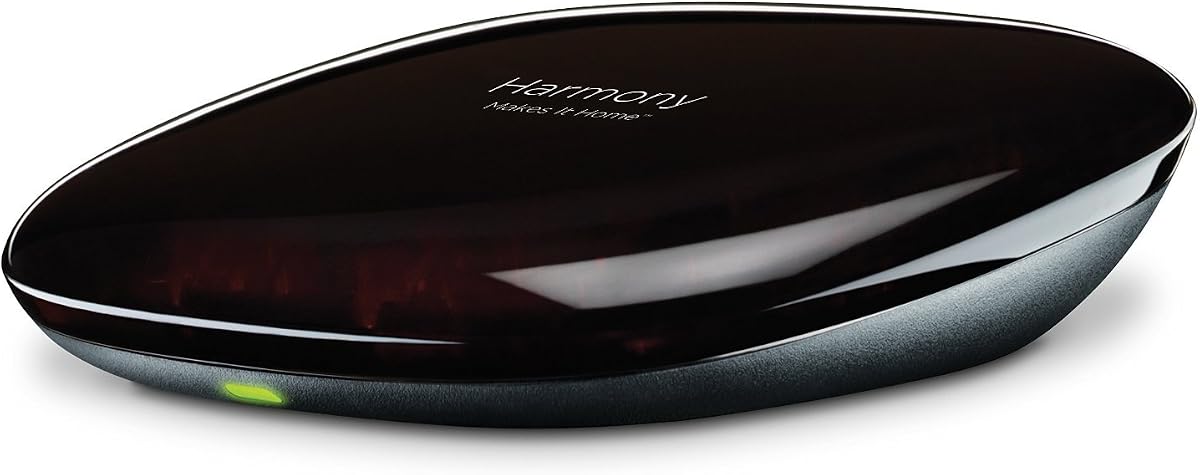
Logitech Harmony Home Hub (Renewed)
3.9Editor score
Supports voice control with Alexa
Manages up to eight devices
Includes closed cabinet control features
Compare the top Logitech Harmony Home Hub options for controlling your entertainment and smart home devices with ease and reliability in October 2026.
Finding the right central control solution for your home entertainment and automation needs is crucial for a seamless daily experience. The Logitech Harmony Home Hub serves as the brain of your setup, allowing you to manage multiple devices through one unified interface or smartphone application.
We have analyzed ten different models and configurations available in the market to help you make an informed decision. Our evaluation focuses on connectivity options, device compatibility, user interface design, and the overall reliability of the hub in coordinating complex activities.
Each selection below highlights specific strengths such as budget friendliness, premium features, or renewed value. Please note that prices and availability can fluctuate frequently on Amazon so we recommend verifying current listings before making your final purchase.
3.9Editor score

3.7Editor score

3.8Editor score
The following table provides a side-by-side look at the technical specifications and key capabilities of each model to help you identify the best fit for your home setup.
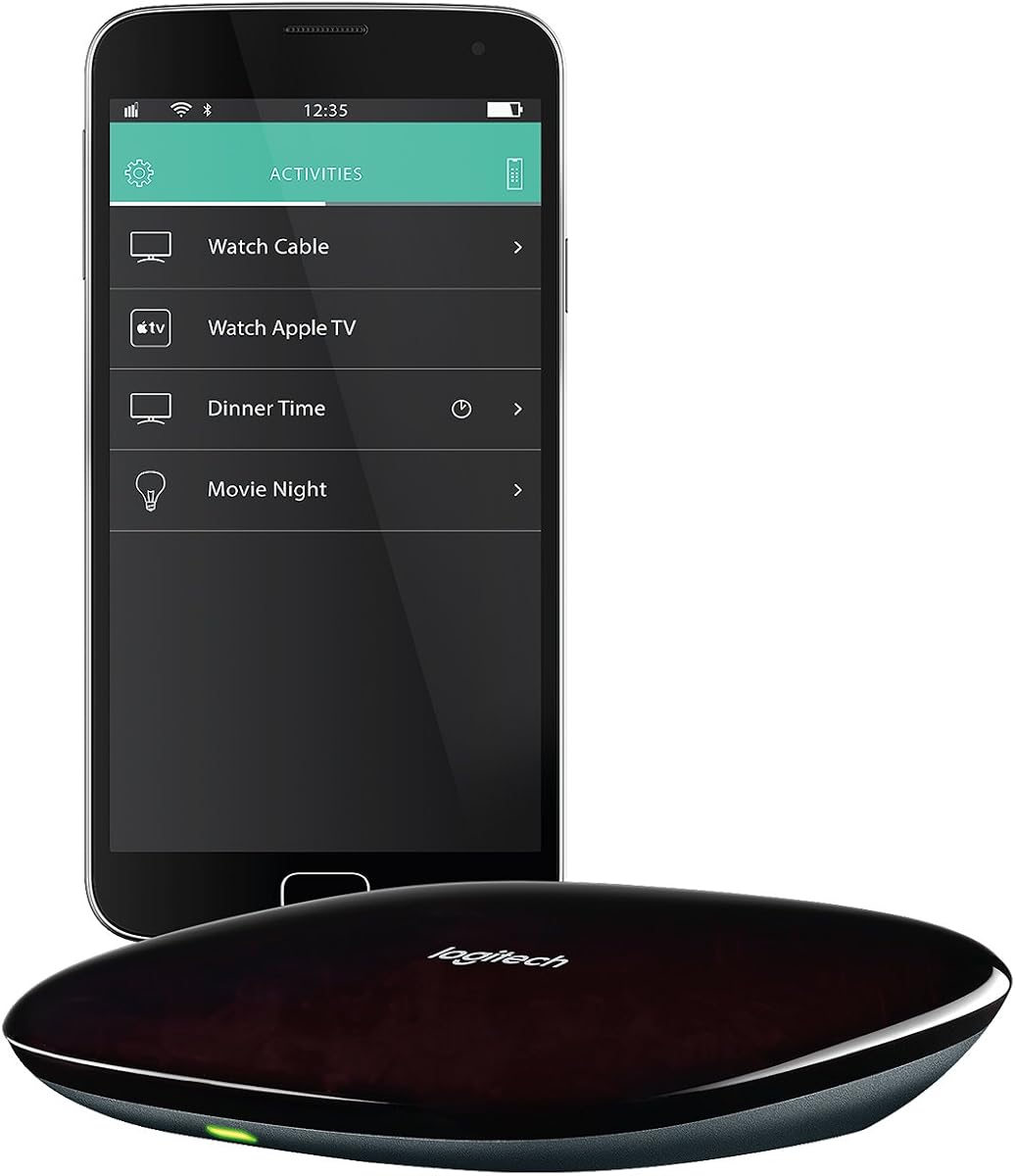


The Logitech Harmony Elite Remote Control is a premium universal remote system designed to unify your entertainment and smart home devices. It boasts a rating of 3.7 stars based on user feedback and offers extensive compatibility with over 270000 devices. Its standout qualities include a full color touchscreen and voice control via Alexa.
We may earn a commission when you buy through this link, at no additional cost to you.
This system maximizes control by managing up to 15 home entertainment and connected home devices through one tool. The interactive full-color touchscreen allows you to manage channels volume and settings with simple swipes and taps. One-touch activities let you initiate tasks like Watch a Movie with a single touch to power on and auto-adjust your devices.
While highly capable the Elite does come with a higher price point compared to basic hubs. The setup process can be complex for users unfamiliar with IR blasters and device codes. These trade-offs are acceptable for those seeking a comprehensive and highly customizable control solution for a complex home setup.
Anyone looking to consolidate multiple remotes and smart home controls into one elegant device should buy this model. It is ideal for enthusiasts who want detailed control over their entertainment environment and value the convenience of voice activation and app integration.
The hub connects with your TV satellite box game consoles and smart lights to create a unified command center.
Compatible with Amazon Alexa this remote allows you to use voice commands for activation and control of activities.
We may earn a commission when you buy through this link, at no additional cost to you.
The Logitech Harmony Home Hub (Renewed) offers an affordable entry point into the Harmony ecosystem for those who prefer smartphone control. With a rating of 3.9 stars it provides reliable functionality for managing home entertainment and automation devices. Its standout quality is the ability to combine remotes and apps into one easy-to-use interface.
We may earn a commission when you buy through this link, at no additional cost to you.
This hub is compatible with Alexa to easily control your home entertainment devices with your voice. You can combine up to 8 remotes and countless apps into one easy-to-use smartphone app. The app allows you to swipe and tap to control channels movies and 50 customizable channel Favorites for a personalized experience.
The main trade-off is that it does not include a physical remote control so you rely on your phone for command input. It is also limited to 8 devices which may not suit larger setups. These limits are acceptable for smaller rooms or users who primarily use their smartphones for media control.
Homeowners seeking a cost-effective way to automate their TV and smart lights without a physical remote should buy this hub. It is perfect for those who want the power of Harmony activities and voice control at a more accessible price point.
Turn your iOS or Android smartphone into a powerful universal remote with the included Harmony app.
The hub works with Alexa to allow voice activation of your entertainment devices and smart home accessories.
We may earn a commission when you buy through this link, at no additional cost to you.
The Logitech Harmony 1100 Universal Remote is a flagship model known for its large 3.5-inch full-color touch screen and RF wireless capability. With a rating of 3.8 stars it delivers robust performance for controlling a wide array of home entertainment equipment. Its standout qualities include its support for 5000+ brands and rechargeable design.
We may earn a commission when you buy through this link, at no additional cost to you.
This remote offers one-touch activity-based controls that simplify complex interactions. The 3.5-inch full-color touch screen provides customizable commands icons and screens to suit your preferences. It features RF wireless capability which allows it to control devices hidden behind cabinets without needing line-of-sight like IR remotes.
The high price range is a significant consideration as it is often more expensive than newer models. The design is also from an older generation which might lack some modern smart home integrations found in newer units. These trade-offs are acceptable for users who prioritize RF reliability and a large screen interface.
Those who want a premium handheld remote with a large display and RF capability should buy this model. It is recommended for users who value physical control over app-based solutions and need the convenience of a charging stand.
RF wireless capability means you can control devices even if they are inside a closed cabinet or out of direct sight.
You can customize commands icons and screens to match your specific device setup and usage habits.
We may earn a commission when you buy through this link, at no additional cost to you.
The Logitech Harmony Smart Control combines a physical remote with a smartphone app for flexible device management. With a rating of 3.9 stars it supports a wide range of devices including game consoles and streaming boxes. Its standout quality is the removable battery which ensures long-term usability and ease of replacement.
We may earn a commission when you buy through this link, at no additional cost to you.
You can use your smartphone via the included Harmony Smartphone app or the included Harmony Remote to control your entertainment devices. It supports Wi-Fi connectivity standards like 802.11g/n for reliable communication with your hub. The smartphone app includes Swipe and Tap control for one-touch control of your entertainment system.
The main drawback is the limit of up to 8 devices which may be restrictive for larger home theater setups. It is also an older model which may not have the latest smart home integrations compared to the Elite. These limitations are acceptable for users with smaller device counts who value dual control options.
Users who want both a physical remote and a smartphone app to control their devices should buy this model. It is a solid choice for those who appreciate traditional remote buttons alongside modern app control features.
Manage your devices with either the physical remote or the smartphone app for maximum flexibility.
The removable battery allows for easy replacement and ensures the remote stays functional for years.
We may earn a commission when you buy through this link, at no additional cost to you.
The Logitech Harmony Ultimate Hub is designed to work seamlessly with a mobile app for closed-cabinet control of up to 8 devices. With a rating of 3.9 stars it offers advanced control for your TV and satellite or cable box. Its standout quality is the included IR mini-blaster that enables control of devices hidden behind cabinet doors.
We may earn a commission when you buy through this link, at no additional cost to you.
The Harmony mobile app turns your iOS or Android smartphone or tablet into a powerful universal remote. Swipe and tap control allows you to navigate TV and select Favorite channels movies music and games on smartphones and tablets using simple touch gestures. You can access Internet services like Netflix and YouTube on your Apple TV Roku and more.
The lack of a physical remote means you must rely on your phone for all commands which might not appeal to everyone. The limit of 8 devices is also a constraint for extensive systems. These trade-offs are acceptable for users who prefer app-based control and need to reach devices inside furniture.
Tech-savvy users who rely on their smartphones for home control should buy this hub. It is ideal for those with entertainment systems hidden in cabinets who need a reliable solution to reach them without opening doors.
Turn your smartphone or tablet into a powerful universal remote with simple touch gestures and a user-friendly interface.
The included IR mini-blaster allows you to control devices sitting behind cabinet doors without line-of-sight issues.
We may earn a commission when you buy through this link, at no additional cost to you.
The Logitech 915-000237 – Harmony Ultimate Home Touch Screen Remote – Black (Renewed) provides a touch-based interface for your home automation. With a rating of 3.7 stars it offers a refurbished option that maintains the core functionality of the original product. Its standout quality is the touch screen which simplifies command selection.
We may earn a commission when you buy through this link, at no additional cost to you.
This remote features a touch screen interface that allows for intuitive navigation and control of your entertainment devices. The black finish gives it a sleek modern look that fits well in any living room setup. As a renewed item it provides access to the Harmony ecosystem at a more affordable price point.
One trade-off is that refurbished products may have varying conditions or shorter warranties compared to new units. Documentation might also be limited for renewed items. These issues are acceptable for budget-conscious buyers who understand the nature of refurbished electronics.
Those seeking a refurbished touch-screen remote for home automation should buy this option. It is a good fit for users who want a modern interface without paying the premium price for a new device.
The touch screen allows for easy navigation and quick access to your favorite channels and device settings.
Buying renewed provides access to high-quality hardware at a reduced cost while maintaining functionality.
We may earn a commission when you buy through this link, at no additional cost to you.
The Logitech Harmony Elite Remote Control Hub and App Compatible with Alexa (Renewed) offers a complete premium kit in refurbished condition. With a rating of 3.5 stars it includes the hub remote and app for controlling home entertainment devices. Its standout quality is the one-touch activities feature that automates your device setup.
We may earn a commission when you buy through this link, at no additional cost to you.
This remote works with Alexa for voice control and offers all-in-one control of up to 15 home entertainment and connected home devices. The full color touchscreen allows you to simply swipe and tap to control channels movies volume and smart home devices like Philips Hue lights. One-touch Activities let you touch an Activity like Watch a Movie to automatically power on devices.
As a renewed product there is a risk of variable performance or condition compared to a brand new unit. The rating is slightly lower than new models which may reflect wear and tear. These trade-offs are acceptable for those who want premium features at a lower price.
Buyers who want a complete Elite kit including hub and app at a discount should choose this renewed option. It is ideal for users who need voice control and touchscreen convenience but have a tighter budget.
Compatible with Amazon Alexa for easy voice integration and activation of your favorite activities.
Touch an Activity like Watch a Movie to automatically power on and switch devices to the right settings.
We may earn a commission when you buy through this link, at no additional cost to you.
The Logitech Harmony Elite Remote Control Hub and App (Renewed) is a complete kit that includes the hub remote and smartphone app. With a rating of 3.9 stars it serves as a universal remote control kit for controlling home entertainment devices. Its standout quality is the comprehensive nature of the package which covers all bases.
We may earn a commission when you buy through this link, at no additional cost to you.
This renewed kit provides the core components needed to transform your home entertainment experience. The hub connects to your network and communicates with your devices while the remote offers physical control options. The smartphone app adds another layer of convenience for users who prefer mobile interfaces.
A potential trade-off is the uncertainty of the condition and battery life of renewed items. Setup can be complex as with any Harmony system which may require patience. These issues are acceptable for users who understand the nuances of buying refurbished electronics.
Users looking for a complete renewed Harmony Elite kit should buy this product. It is a solid choice for those who want a full solution without paying full retail prices.
The kit includes the hub remote and smartphone app to ensure you have all the tools needed for control.
This system is designed to control a wide variety of home entertainment devices with ease.
We may earn a commission when you buy through this link, at no additional cost to you.
The logitech Harmony Elite Remote Control (915-000256) (Renewed) focuses on providing the remote control component of the Harmony ecosystem. With a rating of 3.8 stars it offers a refurbished version of the elite remote for controlling home entertainment devices. Its standout quality is the full color touch screen which simplifies interaction.
We may earn a commission when you buy through this link, at no additional cost to you.
This remote is the most powerful and intuitive Harmony remote providing all-in-one control of up to 15 Home entertainment and connected home devices. The full color touch screen allows you to simply swipe and tap to control channels movies volume and smart home devices like Philips hue lights. One-touch activities let you automatically power on and switch devices to the right settings.
The limitation is that this item is the remote only without the hub which means you must already own one or buy it separately. This might not be ideal for new users starting from scratch. This trade-off is acceptable for existing users needing a replacement or upgrade.
Existing Harmony users who need a replacement remote should buy this product. It is a good option for those who already have the hub and just need a reliable control interface.
The full color touch screen allows you to control channels movies volume and smart home devices with simple gestures.
Works with over 270000 devices including TVs game consoles and connected smart home accessories.
We may earn a commission when you buy through this link, at no additional cost to you.
The Logitech Harmony Hub for Control of 8 Home Entertainment Devices is a discontinued model that still appears in market listings. With a rating of 3.9 stars it served as a foundational hub for Harmony users. Its standout quality was its ability to control 8 home entertainment devices reliably.
We may earn a commission when you buy through this link, at no additional cost to you.
This hub was designed to be the central component for managing your entertainment devices. Although it is discontinued it still offers basic hub functionality for users who may have found it at a discount or through third-party sellers. It remains a viable option for simpler setups.
The main trade-off is that it is discontinued by the manufacturer which means no official support or updates. Availability is also limited compared to current models. These issues are acceptable for those who can find it at a low price and do not need latest features.
Users looking for a basic hub at a discount might consider this model if available. It is a choice for those who have basic needs and understand the limitations of discontinued products.
The hub acts as the central point for managing multiple home entertainment devices via IR signals.
As a discontinued model it may lack recent features but remains functional for existing device setups.
We may earn a commission when you buy through this link, at no additional cost to you.
Choosing the right hub requires evaluating your specific device counts connectivity needs and budget. Here are key factors to consider.
Ensure the hub supports your specific TV streaming device and smart home products. Check the manufacturer's database to verify codes for your gear. Compatibility is crucial for seamless activity automation.
Verify that your devices are in the supported list before purchasing to avoid setup issues.
Most hubs use Wi-Fi and IR to control devices. Some premium remotes use RF to control devices in cabinets. Understand which protocol your setup requires.
Choose RF for devices behind furniture or IR for standard setups.
Decide if you prefer a physical remote a smartphone app or both. Some models like the Elite offer a touchscreen remote while others rely on apps. Your preference impacts daily usability.
Select a model that matches your control preference for convenience.
Check for support for smart lights locks and thermostats. Many models support Philips Hue and Alexa voice control. Integration enhances automation potential.
Ensure the hub works with your preferred smart home ecosystem.
Hubs typically support between 8 to 15 devices. Count your current gear and future needs. Exceeding limits will require adding more hubs.
Choose a model with enough capacity for your full setup.
Prices vary widely between basic hubs and premium remote kits. Renewed options offer savings but come with risks. Balance cost against features needed.
Consider renewed models for savings if budget is a constraint.
Look for intuitive interfaces like touchscreens or swipe gestures. A good UI reduces frustration during setup and daily use. Simplicity is key for family adoption.
Opt for models with clear and responsive controls.
Check if the product is still supported by the manufacturer. Discontinued items may lack security updates or new features. Support ensures longevity.
Prefer current models with active manufacturer support.
To begin setup connect the hub to your Wi-Fi network and plug it into power. Use the Harmony app on your smartphone to log in and add devices. The app will guide you through a code lookup process to match your gear.
Create Activities like Watch Movie or Listen to Music to automate power-on sequences. Assign your devices to these activities so one touch controls everything. This reduces the need to use multiple remotes.
Keep the hub in a central location away from direct sunlight and heat sources. Clean the remote with a dry soft cloth and avoid liquid cleaners. Protect it from drops to ensure the battery remains healthy.
Yes most models support Philips Hue and other smart lighting systems. You can control lights through the Harmony app or via activities. Make sure your bulbs are connected to your network.
Yes some models include IR mini-blasters for closed-cabinet control. RF remotes also work without line-of-sight. Check your product specs to confirm this feature is included.
Discontinued hubs may still work but lack official updates. You can try third-party support or use the device as-is. Consider upgrading to a current model for new features.
Most hubs support up to 8 devices but the Elite supports 15. Check your model's specs to confirm its limit. Exceeding this may require an additional hub.
Yes the Harmony app works on Android 4.0 and later. It allows you to control your devices via phone. iOS support is also available for iPhone users.
Yes many models are compatible with Amazon Alexa. You can use voice commands to start activities or control specific devices. Check if your model supports voice integration.
Try replacing the battery or charging the device fully. Reset the hub and re-add your devices in the app. If issues persist contact support or consider a replacement.
Renewed items can offer good value but vary in condition. Check ratings and warranties before buying. Ensure the seller offers a return policy for peace of mind.
We reviewed ten options ranging from discontinued hubs to the premium Elite Remote. Each model offers unique benefits for managing home entertainment and automation. The Elite provides the most control while the Home Hub offers a cost-effective solution.
Prioritize device compatibility and connection type when making your choice. Ensure the hub supports your current and future devices. Decide if a physical remote or app fits your workflow best.
Please check current prices and availability before buying. Renewed options can save money but come with condition risks. Choose the model that best fits your budget and needs.