
PGST Home Security Systems 12-Piece Kit
4.3Editor score
Includes 12 piece starter kit
Supports Alexa voice commands
Dual Wi-Fi and 4G network
This guide compares the top 10 GSM home security systems of 2026, evaluating features like dual network connectivity, app control, and subscription-free
GSM home security systems offer reliable protection by using cellular networks to send alerts even when Wi-Fi fails. These systems are ideal for homeowners who want robust monitoring without long-term contracts or monthly fees. They provide peace of mind through instant notifications and siren alarms triggered by motion or door sensors.
We evaluated ten leading models based on connectivity options, ease of installation, sensor coverage, and smart home integration. Our analysis focuses on systems that support both 4G and Wi-Fi to ensure constant online status. We also considered user feedback on app responsiveness, battery life, and the clarity of the mobile interface for remote management.
Each pick in this list highlights specific strengths such as budget-friendly kits or advanced expandability for larger properties. You will find detailed breakdowns of what comes in the box and how to set up your network. Please note that product availability and pricing can change frequently, so verify current details before purchasing.
4.3Editor score

4.8Editor score
4.4Editor score
The following table provides a side-by-side comparison of all ten GSM home security systems featured in this guide. You can quickly assess key specifications such as network support, included sensors, and smart home compatibility to find the right match for your needs.
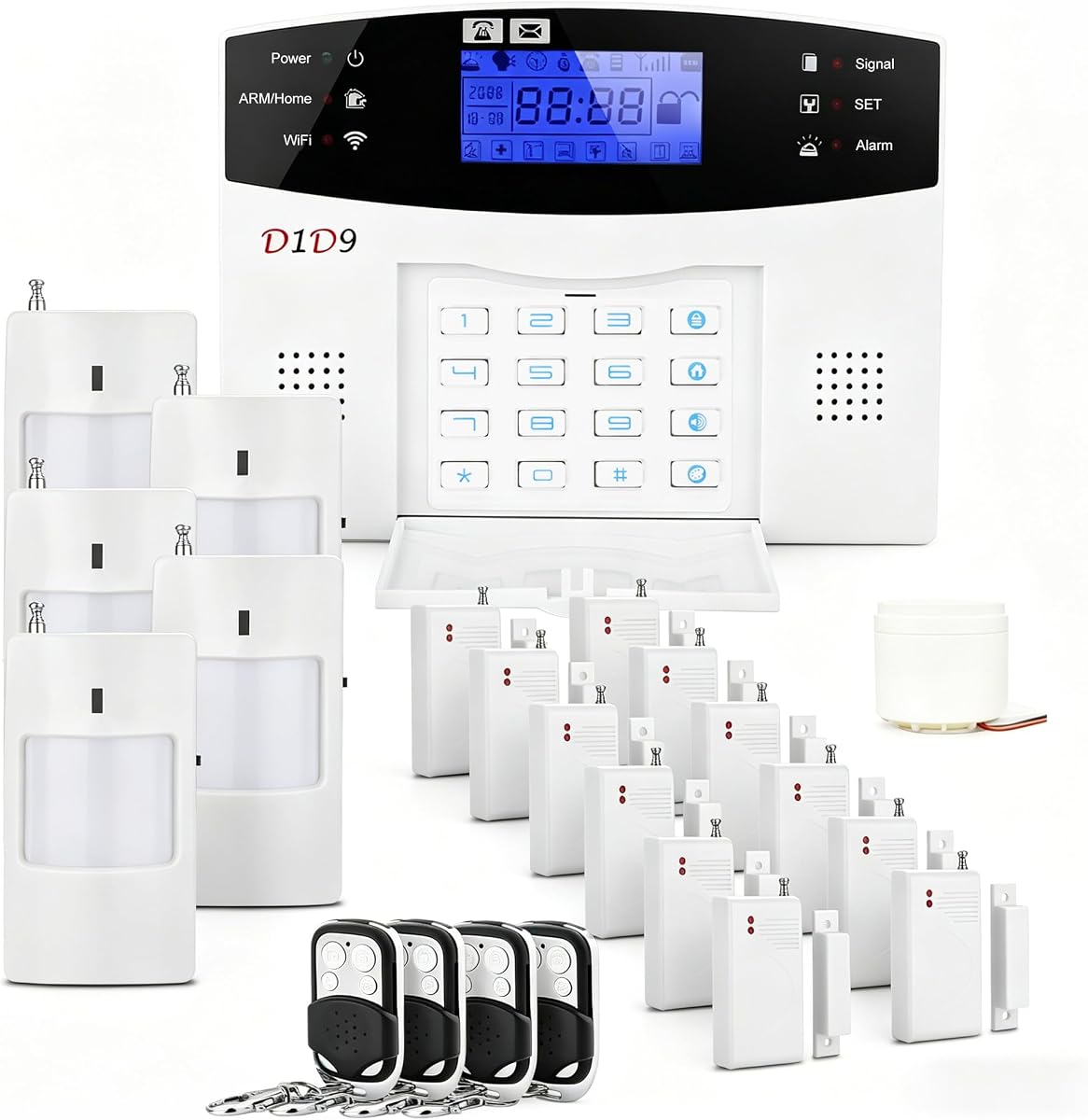


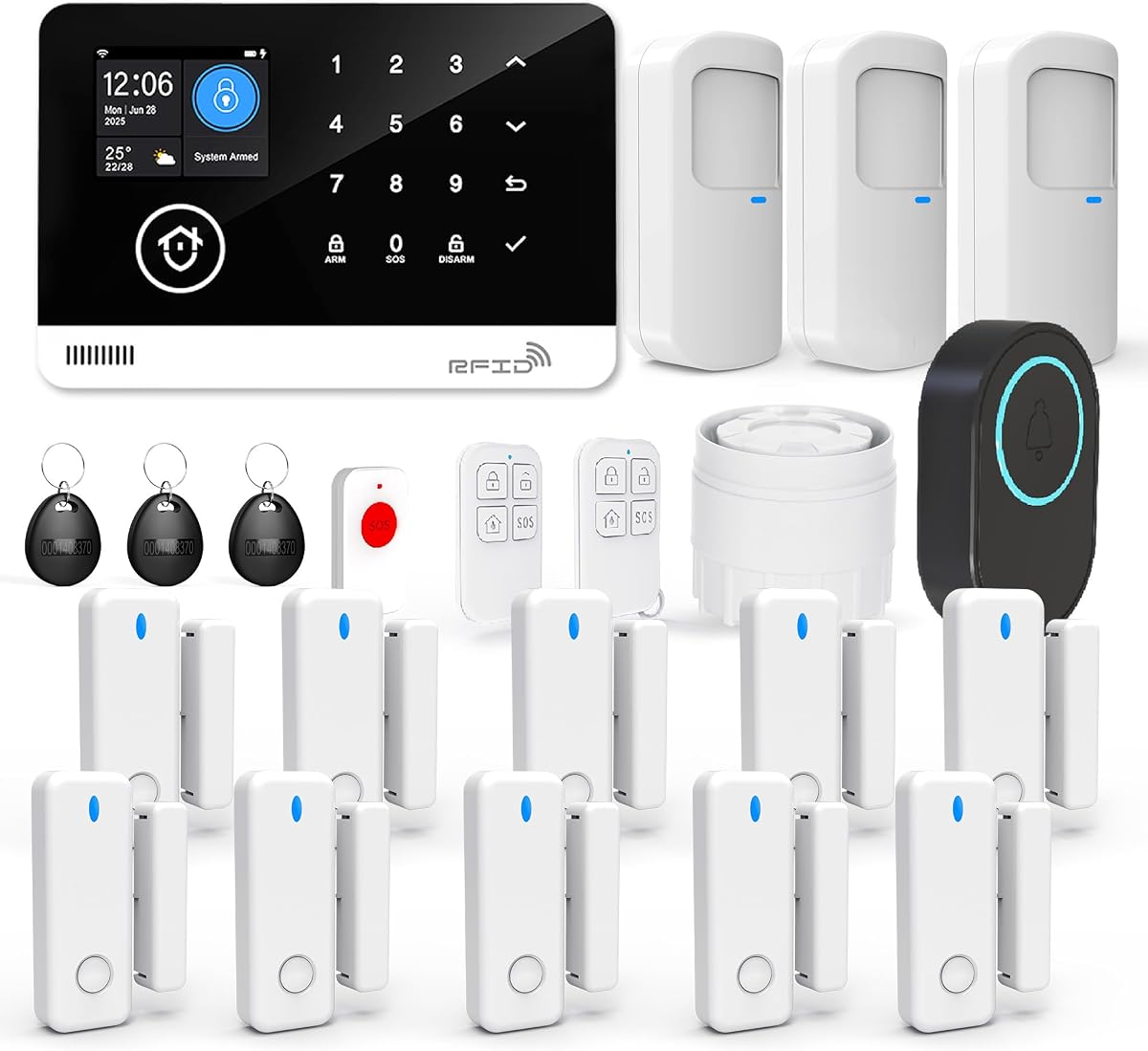

This 24-piece wireless kit offers a complete security solution for homeowners seeking affordability without compromising on coverage. It ranks as a top pick for those needing door and motion sensors along with a siren to deter intruders immediately.
We may earn a commission when you buy through this link, at no additional cost to you.
The system supports both 4G and Wi-Fi networks ensuring you stay connected even if your home internet fails. Setup is designed to be simple allowing you to peel and stick sensors in minutes without professional help. You can manage alerts and arm disarming through a dedicated app.
Keep in mind that the unit does not include batteries for the sensors so you will need to purchase them separately. The app is functional but lacks some advanced customization options found in higher-end models making it better for straightforward needs.
Ideal for families and small businesses looking for a reliable entry-level system this kit provides peace of mind at a fraction of the cost of monitored services. The lack of subscriptions makes it a financially sustainable choice over the long term.
The peel-and-stick design means you do not need to drill holes or call an electrician to secure your home.
Dual network support ensures your alarm stays online and sends alerts even if your Wi-Fi router goes down.
We may earn a commission when you buy through this link, at no additional cost to you.
The PGST 12-piece kit stands out for its seamless integration with smart home ecosystems like Alexa and Tuya. It is an excellent choice for users who want to manage their security alongside other smart devices using simple voice commands.
We may earn a commission when you buy through this link, at no additional cost to you.
This system automatically switches to 4G when Wi-Fi disconnects keeping your home protected without interruption. You can set stay away or emergency modes directly from the keypad or app to match your daily routine and needs.
While it supports professional monitoring options you can also use it without extra charges relying on phone notifications. The only minor drawback is that it only supports 2.4G Wi-Fi and cameras must be purchased separately if you want video verification.
For households of three to five bedrooms this kit offers a balanced mix of hardware and software features. It is particularly well suited for those already using Smart Life or Tuya devices who want a cohesive home automation setup.
Arm or disarm your system hands free by speaking to your Alexa device for added daily convenience.
Automatic failover to cellular networks ensures alerts are sent even during local internet outages or router issues.
We may earn a commission when you buy through this link, at no additional cost to you.
This PGST model is designed for users who need extensive coverage and the ability to add many sensors over time. It supports up to 100 wireless locations making it perfect for large homes or properties with multiple entry points to secure.
We may earn a commission when you buy through this link, at no additional cost to you.
The system triggers a loud 120dB alarm when sensors are activated and you can receive instant push alerts on your phone. It also allows you to preset up to five groups of phone numbers for SMS or voice notifications to ensure someone always knows about an alert.
While the feature set is robust the initial setup might require some patience to configure all the custom names and settings properly. Users should consult the manual or operation videos to get the most out of the flexible configuration options available.
If you plan to grow your security system or want specific naming for every sensor in your house this is a top tier option. The ability to add SOS buttons and outdoor sirens separately further enhances its utility for comprehensive home protection.
With 100 wireless storage locations you can expand your system as your security needs grow without replacing the hub.
Set up to five phone number groups to send alerts to different family members or security contacts as needed.
We may earn a commission when you buy through this link, at no additional cost to you.
This 22-piece kit distinguishes itself by including a 2K HD camera directly in the box so you do not need to buy one separately. It provides a complete package for those wanting both motion detection and visual verification of alerts in one purchase.
We may earn a commission when you buy through this link, at no additional cost to you.
The main unit features a color screen that displays weather date and system status for easy monitoring without opening your phone. It supports Alexa and Google Assistant voice control and includes a dedicated SOS button for emergencies involving children or seniors.
The physical tamper protection ensures that if someone tries to remove the hub it will trigger an alarm and send notifications to you. While the camera adds value the system still relies on 2.4GHz Wi-Fi for network connectivity which may limit some advanced networking options.
This system is ideal for users who want a ready-to-go package with minimal extra purchases. The combination of visual monitoring and a robust sensor array makes it a strong contender for comprehensive property security.
The 2K HD camera allows you to verify alerts visually without needing to buy additional hardware separately.
Physical anti-removal design triggers alerts if the hub is pried loose preventing attackers from disabling the system easily.
We may earn a commission when you buy through this link, at no additional cost to you.
This system offers a unique hybrid approach by supporting both wireless and wired zones for a highly flexible security setup. It is perfect for properties that need a mix of modern wireless sensors and traditional hardwired connections for reliability.
We may earn a commission when you buy through this link, at no additional cost to you.
You can record a 10-second voice message to play to family members when an alarm is triggered adding a personal touch to alerts. The global GSM frequency support ensures it works with various SIM cards worldwide making it useful for international travel or multiple locations.
While the feature set is powerful note that the system does not include a SIM card so you must provide your own local service. The setup process may be more involved than simple wireless kits due to the need to configure wired zones manually.
Ideal for tech-savvy users or larger homes that need extensive coverage this system offers robust control and customization. The ability to set six groups of alert numbers ensures that critical notifications reach the right people immediately.
Support for seven wired zones allows you to integrate existing sensors or connect high-reliability wired devices.
Record a custom voice message to play during alerts so family members know exactly what to do in an emergency.
We may earn a commission when you buy through this link, at no additional cost to you.
This system is designed for simplicity with accessories pre-paired at the factory so you can start protecting your home in minutes. It is an excellent choice for renters or those who want a security solution without complex configuration steps.
We may earn a commission when you buy through this link, at no additional cost to you.
You can arm and disarm the system using voice commands through Alexa or Google Assistant adding a layer of convenience to daily use. The app also keeps an event history log so you can review past alerts and share access with family members easily.
Keep in mind that SMS and phone alarm functions may incur third-party carrier fees depending on your local service provider. The Wi-Fi compatibility is limited to 2.4GHz which is standard but may not work with newer high-speed networks.
For apartments or small homes where quick setup is a priority this kit delivers reliable performance with minimal hassle. The SOS button and easy remote access make it a strong candidate for households with children or elderly residents.
No manual pairing or code entry is needed because all sensors arrive paired with the hub from the factory.
Track security activity over time by reviewing the event history log in the app to identify patterns or false alarms.
We may earn a commission when you buy through this link, at no additional cost to you.
This system stands out for its impressive 48-hour battery backup ensuring your home stays protected during extended power outages. It is a reliable choice for areas prone to blackouts or storms where continuous security is critical.
We may earn a commission when you buy through this link, at no additional cost to you.
The hub features a physical anti-tamper device that triggers an alarm if someone tries to remove it from the wall. You can also use the built-in password keypad to prevent unauthorized users from disarming the system without your code.
Installation requires drilling holes to mount the hub and sensors which may be a drawback for renters who cannot modify walls. However the wide-angle motion sensors and responsive door contacts ensure high precision detection when the system is armed.
Ideal for homeowners who prioritize uptime and reliability this model offers strong protection against both digital and physical attacks. The 120dB siren acts as a potent deterrent to intruders while the robust battery keeps the system running.
A built-in rechargeable backup battery keeps the hub running for up to 48 hours during blackouts ensuring no downtime.
Physical removal detection triggers alerts if someone attempts to pry the hub loose from the wall for added security.
We may earn a commission when you buy through this link, at no additional cost to you.
This kit offers a solid basic setup with ten door and window sensors to cover multiple entry points without high costs. It is a good option for those who want a straightforward security system without needing advanced video or smart home features.
We may earn a commission when you buy through this link, at no additional cost to you.
You can control arming and disarming through the app or keypad and set time limits to avoid false alarms when leaving. The inclusion of RFID cards provides a convenient way to arm or disarm the system without using your phone in certain situations.
The system uses 2G SIM card support which is standard in many regions but may be phased out in others eventually. Users should check local network availability to ensure the GSM connectivity will remain reliable for the life of the system.
For basic apartment or home security this 22-piece package covers the essential needs efficiently. It is particularly useful for budget-conscious buyers who need to secure multiple doors and windows with minimal setup effort.
Use RFID cards to arm or disarm the system quickly without needing to open the app or type a code.
Set specific time limits for arming to prevent alarms from triggering when you are leaving or entering the house.
We may earn a commission when you buy through this link, at no additional cost to you.
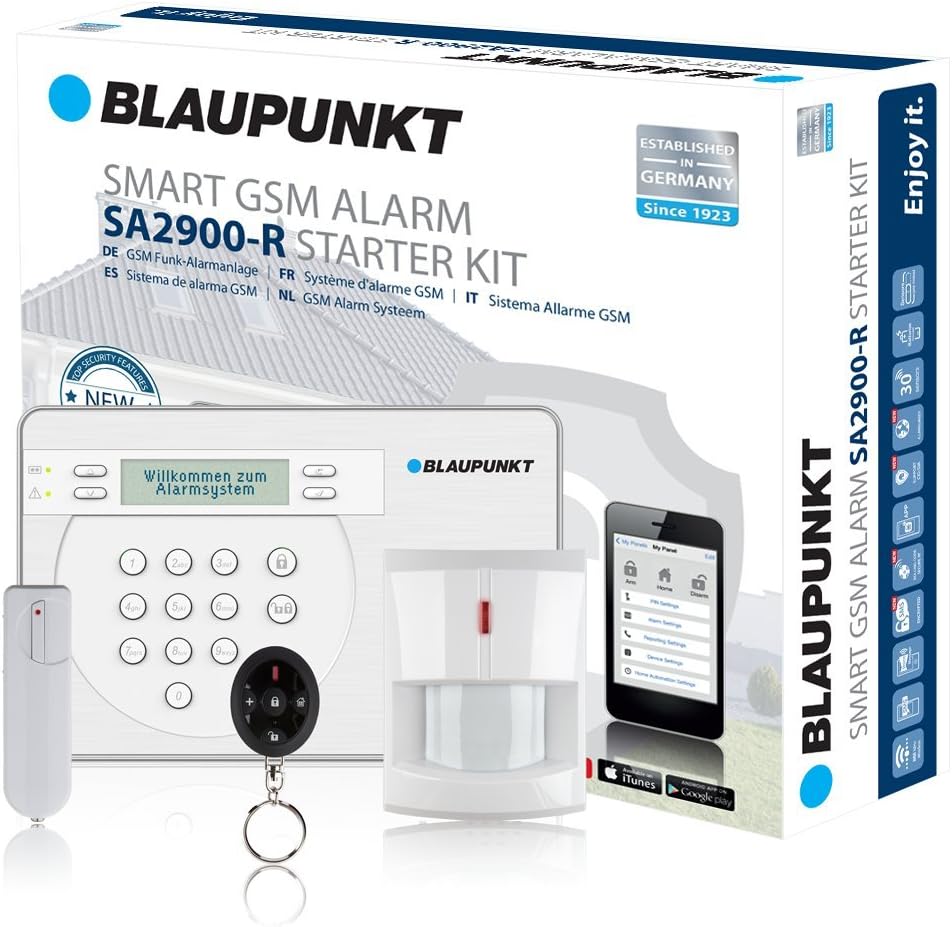
This Blaupunkt model focuses on high-end security features like encryption to protect signals from replay attacks and digital manipulation. It is an excellent choice for users who prioritize signal integrity and protection against cyber threats over basic monitoring.
We may earn a commission when you buy through this link, at no additional cost to you.
The system includes a built-in microphone for listening to your home remotely which adds a layer of situational awareness during alerts. It also provides 18 hours of emergency power supply ensuring the system functions during outages without needing external generators.
The advanced features come with a higher price point compared to standard kits making it a premium option. You will also need to provide your own SIM card as it is not included in the package so check your provider compatibility.
Ideal for offices or high-value homes this system offers professional-grade security and reliability. The combination of signal protection and listening capabilities makes it a robust choice for those who demand the highest safety standards.
Advanced coding protects radio signals against manipulation and replay attacks to prevent hackers from disabling the alarm.
The built-in microphone lets you listen to your home remotely to assess the situation when an alarm is triggered.
We may earn a commission when you buy through this link, at no additional cost to you.
This 13-piece kit provides a compact all-in-one solution that includes a camera and various sensors to secure small homes or offices. It is a budget-friendly option for those who need basic visual verification alongside traditional alarm functions.
We may earn a commission when you buy through this link, at no additional cost to you.
The hub features an IPS color screen that displays real-time status bar data and clock making it easy to see system health at a glance. It supports Siri Shortcuts along with Alexa and Google Home for voice control integration within your smart ecosystem.
While it offers many features the system has a lower user rating suggesting setup may be less intuitive than other models. The 2.4GHz Wi-Fi requirement and older GSM support mean you should verify network compatibility before buying to ensure functionality.
For small spaces like apartments or garages this package covers the essential needs without requiring extra purchases. The ability to record voice messages and set multiple preset alarm groups adds flexibility for specific security requirements.
An IPS color screen on the hub shows real-time status and data so you can see alerts without checking your phone.
Integration with Siri Shortcuts allows you to use iOS voice commands to arm or disarm the system quickly.
We may earn a commission when you buy through this link, at no additional cost to you.
Selecting the right GSM home security system depends on understanding your specific connectivity needs and budget constraints.
Ensure the system supports both Wi-Fi and GSM cellular networks. A dual-network setup guarantees that your alarm stays online even if your internet goes down. Most models use 2.4GHz Wi-Fi so check if your router is compatible. Also verify the GSM frequency bands match your local carrier to ensure calls and SMS alerts work correctly.
Look for systems with auto-switching capabilities to 4G when Wi-Fi disconnects for reliable coverage.
Check the maximum number of wireless zones the hub supports. If you plan to add more sensors later for windows or garages choose a system that allows expansion. Some kits support up to 100 zones which is great for large properties while others limit you to 20 or 30. Ensure the included sensors cover your main entry points like front doors and windows.
Select a hub that supports adding at least double the initial sensors to allow for future upgrades.
Many GSM systems allow you to avoid monthly fees by using your own SIM card. This saves money over time compared to monitored contracts. However ensure you understand carrier costs for data or SMS plans. Some apps are free while others charge for advanced features. Read the fine print to know if there are hidden app service charges.
Prioritize systems that work with any SIM card to keep long-term costs low.
A user-friendly mobile app is essential for remote arming and receiving alerts. Look for apps that support iOS and Android reliably. Check if the app allows you to customize sensor names so you know exactly where an alert came from. Some apps also support voice control which adds convenience for daily use.
Choose a system with an app that provides clear notifications and easy access to system status.
Power outages are common during storms so a battery backup is crucial. Most systems include a rechargeable battery but check the runtime. Aim for at least 24 hours of backup power to ensure security during blackouts. Some premium models offer up to 48 hours which adds an extra layer of reliability.
Verify the battery is built-in or easily replaceable to maintain system uptime.
Most GSM systems are DIY friendly but some may require drilling for mounting. If you rent a peel-and-stick option is better than one that needs screws. Ensure the kit includes mounting hardware and clear instructions. Wireless sensors make installation quick but you need a steady hand to place them correctly.
Opt for wireless kits with adhesive mounts if you cannot modify walls.
The siren volume determines how well it can deter intruders. Look for systems with at least 110dB to 120dB sirens. A loud siren alerts neighbors and frightens off burglars. Some models let you adjust the volume but standard loudness is more effective. Ensure the siren is integrated into the hub or available as a separate accessory.
Check for a minimum 110dB siren rating to ensure strong acoustic deterrence.
If you have smart home devices choose a system compatible with Alexa or Google Assistant. Voice control allows you to arm the system hands free. Some systems work with Tuya or Smart Life apps which unify multiple devices. This integration makes your home automation more convenient and cohesive.
Confirm compatibility with your existing voice assistants before purchase.
Start by inserting a valid SIM card into the hub if it is not pre-installed. Activate the card with your carrier and ensure it has data or voice plans depending on your needs. Power on the hub and wait for the network lights to indicate a stable connection. You should see a status indicator showing 4G or Wi-Fi is active.
Download the recommended app from the App Store or Google Play and create an account. Follow the in-app instructions to add your system by scanning a QR code or entering the hub ID. Test each sensor by opening a door or walking in front of a motion detector to confirm alerts are sent. Adjust sensor positions if false triggers occur.
Regularly test your battery backup by unplugging the hub to ensure it stays online for the expected duration. Replace sensor batteries every six months to prevent failures. Keep the firmware updated via the app for security patches. Clean the sensors with a soft cloth to avoid dust blocking motion detection or magnetic contacts.
No, you generally do not need a paid subscription to use a GSM home security system. These models allow you to insert your own SIM card to send alerts via SMS or phone calls. You only pay your mobile carrier for the service plan. Some apps are free while others might have optional premium tiers.
If your Wi-Fi goes down, most modern GSM systems will automatically switch to the cellular network to stay online. This ensures that you still receive alerts and can control the system remotely. Check your model to ensure it supports 4G or 3G backup. This failover feature is critical for uninterrupted protection.
Yes, most GSM security systems are designed to be expandable. You can usually add additional door sensors, motion detectors, or sirens as long as they match the hub's frequency. Check the hub's maximum zone limit to know how many you can add. This allows you to start small and grow your coverage over time.
Many GSM systems are compatible with smart home devices like Amazon Alexa and Google Assistant. This allows you to use voice commands to arm or disarm the system. Some also integrate with platforms like Tuya or Smart Life. Verify compatibility before buying if you already have a smart home setup.
The siren on most GSM security systems ranges from 110dB to 120dB. This volume is loud enough to deter intruders and alert neighbors. Some models let you adjust the volume in the app. If you need extra loudness, consider adding a dedicated outdoor siren.
If the app stops working, first check your internet connection and the SIM card status. Restart the app and the hub to refresh the connection. Ensure your app is updated to the latest version. Contact the manufacturer if the issue persists as it may be a server-side problem requiring support.
No, you do not need a hardwired internet connection if the system has GSM cellular backup. While Wi-Fi is often used for setup and speed, the cellular network allows standalone operation. This makes the system ideal for remote homes without internet. Ensure your SIM card has signal in your area.
You should test your system at least once a month to ensure all sensors and alerts work. Test each sensor by triggering them and confirming the app notification. Also test the battery backup by unplugging the hub. Regular testing helps identify dead batteries or connectivity issues early.
Choosing a GSM home security system offers a reliable way to protect your property without long-term contracts. The top picks in this guide provide a range of options from budget-friendly kits to advanced models with video verification.
Prioritize dual network support and expandability when making your decision to ensure your system grows with your needs. Features like battery backup and smart home integration add value and convenience to your daily routine.
Remember to check current pricing and availability as these details can change frequently. Select a system that fits your home size and budget to enjoy peace of mind all year round.