
Tapo C120
4.4Editor score
2K QHD Resolution
IP66 Weatherproof
No-Cost AI Detection
Discover the top indoor wireless IP cameras for home security. This guide compares resolution, smart features, privacy controls, and storage options to help
Modern homes need reliable security that blends seamlessly into daily life. Indoor wireless IP cameras offer high-definition monitoring without the hassle of tangled cables. These devices empower you to keep an eye on family, pets, and property from anywhere in the world.
We evaluated ten leading models based on video quality, smart detection capabilities, and ease of installation. Our analysis focuses on real-world performance, app usability, and privacy features. Each product was assessed for its ability to provide clear footage day and night without constant subscription fees.
This roundup highlights the strengths and limitations of each camera to help you find the perfect fit for your space. Whether you need a budget-friendly option or a premium dual-lens system, our top picks cover every scenario. Please note that product availability and pricing may vary by retailer and time.
4.4Editor score
4.6Editor score

4.4Editor score
The following table provides a quick side-by-side look at the core specifications of each model. This overview helps you compare resolution, field of view, and key capabilities at a glance before diving into detailed reviews.



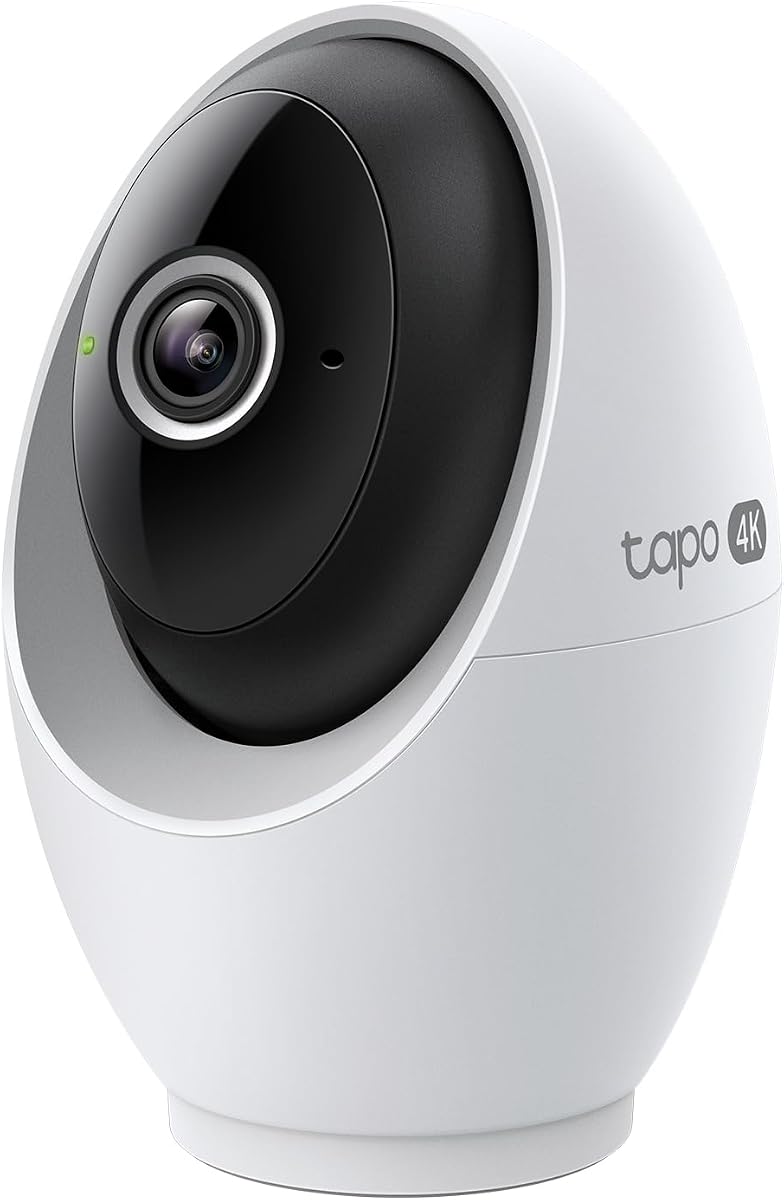
The Tapo C260 stands out as a top performer in indoor wireless IP cameras. It delivers 4K Ultra HD clarity with AI detection that keeps data local. Its 360-degree pan and tilt ensure no corner of the room goes unseen.
We may earn a commission when you buy through this link, at no additional cost to you.
Key strengths include the onboard AI which speeds up alerts by processing data on the device. The starlight sensor provides vivid images in low light. You can zoom in up to 18 times digitally without losing critical detail.
While it requires a wired connection, this ensures stable operation. The only real trade-off is that cloud storage is optional. However, local microSD storage is robust and free.
Ideal for tech-savvy users wanting high res. Buy this for its precision and privacy features.
On-device AI means faster alerts and greater privacy since data stays on the camera.
Up to 18x digital zoom helps you read labels or see small objects clearly.
We may earn a commission when you buy through this link, at no additional cost to you.
The Tapo C120 offers incredible value with 2K resolution and AI detection for free. Its compact design fits anywhere, and the magnetic base makes installation effortless. This model is ideal for renters or budget-conscious buyers.
We may earn a commission when you buy through this link, at no additional cost to you.
Performance is strong with Starlight color night vision. The invisible IR mode avoids disturbing sleep. You get clear details without paying for advanced features.
It is wired which limits placement slightly. But the weatherproof rating means it handles dust and moisture well.
Buy this for reliable monitoring at a low cost. It covers all essentials effectively.
The magnetic base attaches to metal surfaces without tools or screws.
IP66 rating protects against rain and dust for versatile placement.
We may earn a commission when you buy through this link, at no additional cost to you.
The eufy Security S350 is a premium indoor wireless IP camera designed for precision. Its dual-lens system provides a wide room view and a close-up feed simultaneously. This is perfect for parents monitoring toddlers or elderly care.
We may earn a commission when you buy through this link, at no additional cost to you.
The hybrid zoom allows you to see details like medication bottles or toys clearly. Local storage ensures your data stays private. Sound and motion detection are highly accurate.
It lacks HomeKit support which limits smart home integration. Power consumption is higher due to dual lenses. But the video quality makes up for it.
Buy this for superior monitoring capabilities. It offers unmatched detail for large spaces.
Combines 4K wide and 2K telephoto for zoom without quality loss.
See the whole room while zooming in on specific actions instantly.
We may earn a commission when you buy through this link, at no additional cost to you.
The eufy Security E30 delivers stunning 4K recording with full panoramic coverage. Its spotlight enables color night vision which is rare in this category. This camera is excellent for family and pet monitoring.
We may earn a commission when you buy through this link, at no additional cost to you.
AI tracking follows pets or people automatically. The two-way audio is clear for communication. HomeKit integration is possible though resolution is capped there.
It costs more than basic models. But the image quality and smart features justify the price for many.
Buy this for high-quality family monitoring. It balances features and performance well.
Navigate the home view instantly by tapping areas on the app screen.
Integrated spotlight switches between color and infrared night modes.
We may earn a commission when you buy through this link, at no additional cost to you.
The Ring Indoor Cam is a reliable choice for Amazon users. It offers 1080p HD video and color night vision. Its pre-roll feature captures a few seconds before motion, giving context to events.
We may earn a commission when you buy through this link, at no additional cost to you.
Privacy is a priority with a manual cover. Alexa integration allows voice control and announcements. The design is compact and mounts easily on surfaces.
Full features require a subscription. This adds to the cost over time. But for Ring ecosystem users, it is a seamless fit.
Buy this for smart home convenience. It is perfect for existing Ring households.
Records extra seconds before motion events to provide full context.
Physical swivel cover turns off camera and mic instantly.
We may earn a commission when you buy through this link, at no additional cost to you.
The Amcrest 4MP ProHD delivers high resolution video with efficient compression. It supports local and cloud storage options including NAS. This is a strong pick for detailed monitoring needs.
We may earn a commission when you buy through this link, at no additional cost to you.
Pan and tilt control allows you to cover more ground. The camera supports local SD card and cloud backup. Night vision reaches up to 32 feet.
Digital zoom is limited to the Pro app. The camera runs only on 2.4GHz networks. But its hardware quality is robust.
Buy this for detailed video quality. It suits users who want flexibility in storage.
Advanced compression reduces file sizes without losing video clarity.
Works with MicroSD cards NVRs and local NAS devices seamlessly.
We may earn a commission when you buy through this link, at no additional cost to you.
The Amcrest ProHD 1080P focuses on secure and reliable monitoring. It uses SSL and AES encryption to protect your data. The camera delivers true HD video with pan and tilt movement.
We may earn a commission when you buy through this link, at no additional cost to you.
It supports cloud or SD card storage. Night vision is clear up to 32 feet. The interface is straightforward for setup and use.
Lack of 5GHz limits speed in crowded areas. But encryption ensures privacy. It is a solid choice for home security.
Buy this for privacy-focused monitoring. It works well for standard security tasks.
SSL/HTTPS ensures video data is encrypted during transfer.
Built-in LEDs provide clear night vision up to 32 feet.
We may earn a commission when you buy through this link, at no additional cost to you.
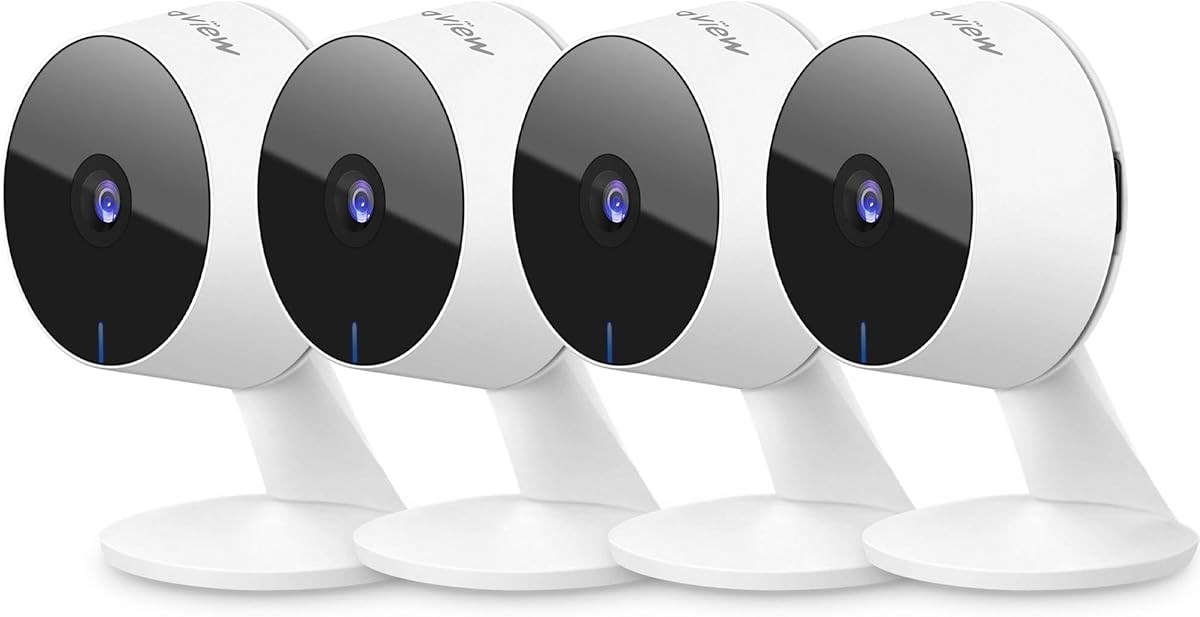
The LaView 4pcs pack offers a complete solution for full coverage. It allows up to 9 live streams on the app. The HD video and two-way audio work well for general indoor security.
We may earn a commission when you buy through this link, at no additional cost to you.
You can access feeds via a web browser easily. Sharing access is simple for family members. Cloud trial is included but ends after 30 days.
Fixed lenses limit movement. But for static monitoring, this is a cost-effective choice. The web access is a key feature.
Buy this for whole-home coverage. It is great for monitoring multiple rooms.
Supports up to 9 simultaneous live feeds in one app.
View feeds through mobile or web browsers easily.
We may earn a commission when you buy through this link, at no additional cost to you.
The youkey S320 is ideal for renters needing a wireless camera. It has built-in 8GB storage and no subscription fees. The magnetic mount and wire-free design allow flexible placement.
We may earn a commission when you buy through this link, at no additional cost to you.
Battery lasts months with smart wake-up. AI distinguishes pets from people. Recharging is simple by removing the camera from the base.
It is not always on which may miss fast events. But for renters it avoids damage. Battery life is impressive.
Buy this for hassle-free monitoring. It is perfect for temporary or flexible needs.
Strong magnet allows screw-free attachment on any metal surface.
6400mAh battery lasts months with smart PIR wake-up.
We may earn a commission when you buy through this link, at no additional cost to you.
The Tapo C100 4-Pack is a great starter set for home security. It provides 1080p video with two-way audio. Perfect for parents or pet owners needing to monitor multiple areas.
We may earn a commission when you buy through this link, at no additional cost to you.
Local storage works via microSD cards. Night vision covers up to 40 feet. The app allows easy switching between feeds.
It lacks zoom or tracking. But for basic monitoring this is efficient. The pack offers great value for the price.
Buy this for simple whole home coverage. It is excellent for budget-conscious buyers.
Built-in mic and speaker let you talk to pets or family.
Affordable bundle covers every room in your home.
We may earn a commission when you buy through this link, at no additional cost to you.
Choosing the right indoor wireless IP camera involves balancing features with your specific needs. This section breaks down the most important factors to consider.
Resolution determines how clear your footage is. 1080p is standard and sufficient for general monitoring. 2K and 4K options offer finer detail which helps identify faces or objects.
Higher resolution usually requires more bandwidth and storage. Choose based on how much detail you need to see.
Cameras operate in low light or total darkness. Traditional IR provides black-and-white images while color night vision needs some light. Look for starlight sensors for better low-light clarity.
Ensure the range matches your room size. 30 to 40 feet is common for indoor settings.
AI detection distinguishes people pets and vehicles from general motion. This reduces false alerts from shadows or insects. On-device AI processes data locally for privacy.
Check if AI is included or requires a subscription. Local AI is often a better long-term value.
Storage methods vary from local SD cards to cloud services. Local storage is free but risks data loss if the camera is stolen. Cloud offers off-site access but costs fees.
Prefer models supporting both local and cloud. This flexibility ensures your recordings are safe.
A wide field of view reduces blind spots. Pan and tilt models allow you to control the angle remotely. Fixed lenses are simpler but cover less space.
If you need full room coverage a pan-tilt unit is usually best. Fixed cameras work well for specific corners.
Most wireless IP cameras rely on 2.4GHz Wi-Fi. 5GHz offers faster speeds but shorter range. Ensure your router supports the required band.
Wired power options provide stable operation. Battery-powered ones offer flexibility but need recharging.
Physical privacy covers let you disable the camera physically. Software controls allow you to toggle recording. Look for encryption for secure data transfer.
Physical covers offer the highest peace of mind. Always choose models with end-to-end encryption.
Integration with Alexa Google Assistant or HomeKit allows voice control. Check if your ecosystem is supported. Some cameras integrate better than others.
Compatibility improves convenience for daily use. Ensure the app supports your preferred devices.
Begin by placing your camera where it has a clear view of the area you want to monitor. Ensure it is connected to a reliable power source or charged battery. Avoid direct sunlight or extreme temperatures that could affect performance.
Download the manufacturer app and follow setup instructions. Connect the camera to your Wi-Fi network securely. Enable firmware updates to keep the device secure and efficient. Adjust detection zones to avoid unnecessary alerts.
Regularly check the lens for dust or smudges that could blur the image. Clear the microSD card if storage is limited. Test two-way audio to ensure communication is clear. These steps maintain reliability and clarity over time.
Yes, most models are designed for DIY setup. They often mount with screws or magnets and connect to your network via an app. The process usually takes under thirty minutes. No wiring expertise is needed for wireless models.
Not always. Many cameras offer free local storage via microSD cards. Subscriptions are optional for cloud storage or advanced features like AI. You can use the camera fully without paying extra fees.
Modern cameras use encrypted connections to protect data. Look for models with WPA2 encryption and physical privacy covers. Regular firmware updates are vital to patch security holes. Always change default passwords immediately.
Yes, if your camera supports smart casting or has an app for smart TVs. Many integrate with Alexa or Google Home to show feeds on Echo Show. This allows you to view footage on a larger screen easily.
Most wired models stop working during outages unless connected to a UPS. Battery-powered cameras may continue briefly. Ensure your router has backup power to maintain connectivity. This varies significantly by model type.
MicroSD cards up to 256GB are common. Larger capacities allow longer recording history. High-resolution video requires more space. Aim for at least 64GB to capture several days of motion events effectively.
Check the IP rating before placing them outdoors. Models with IP66 or higher resist rain and dust. Indoor-only cameras may fail in wet conditions. Use weatherproof models specifically for exterior placement.
Most models have a reset button on the back. Hold it for ten seconds to restore factory settings. Re-setup the device via the app after resetting. This is useful for troubleshooting network issues.
This guide highlighted ten top indoor wireless IP cameras suitable for various home needs. From the Tapo C260 for 4K clarity to the Ring Indoor Cam for smart integration, there is a fit for every budget. Each model offers unique strengths.
Prioritize features that matter most to you. If privacy is key, choose models with local storage and physical covers. For high detail, opt for 4K resolutions. Consider how much room you need to cover with your lenses.
Always check current prices and availability before purchasing. Technology evolves quickly so features may change. Our analysis is current as of November 2026. Use this data to make an informed decision for your home security.